
Trapezoid and Tangent Vector Construction
Loading the math board and drawing, please wait…
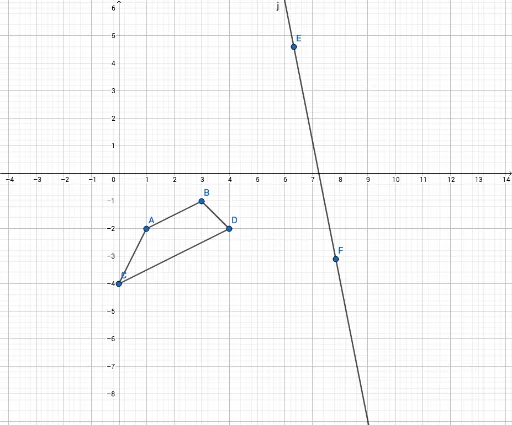
This example demonstrates the dynamic geometric construction of a trapezoid's tangent lines and vector relationships. Key math concepts include polygons, tangent lines, vector operations, and quadratic equations. Construction highlights involve using commands for points, segments, and lines to create the trapezoid and its tangents, with objects A-D as vertices, f-g-h-i as auxiliary lines, E-F as tangent points, and j as a vector. Suitable for high school mathematics education, illustrating the application of analytical geometry and vectors.
GeoGebra Commands & Parameters
Point(yAxis) → CSegment(A, B) → fSegment(B, D) → gSegment(D, C) → hSegment(C, A) → iLine(E, F) → j
AI Drawing Prompt Reference
Draw a trapezoid with four vertices connected in order, with one side lying on the vertical axis. From one vertex, draw a tangent line to the opposite side, marking the tangent point on that side. From another vertex, draw a second tangent line to another side, marking its tangent point. Finally, connect the two tangent points with a straight line, representing a vector direction. The figure should show the trapezoid sides, the two tangents, and the connecting line, illustrating the geometric relationships.
The prompt above was compiled from the original drawing commands and is for reference only.