
Trapezium Geometry Demo
Loading the math board and drawing, please wait…
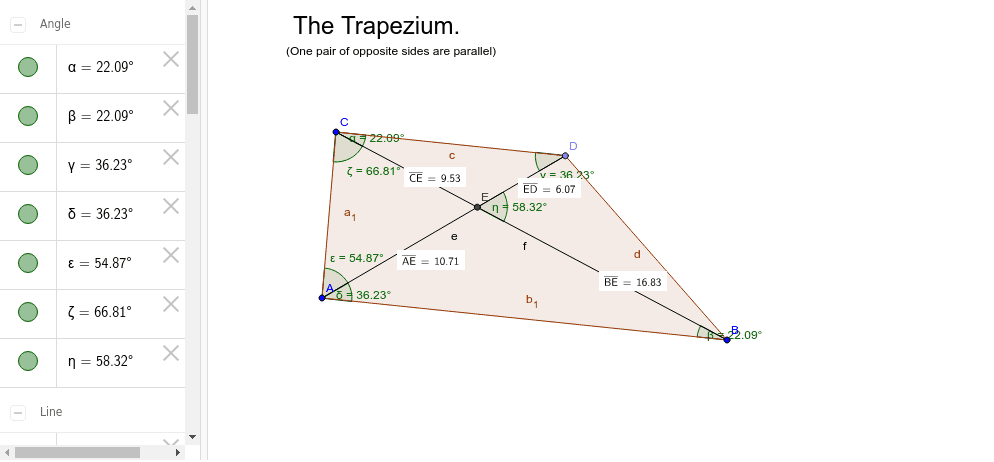
This example demonstrates the properties of a trapezium including its definition, median line, angles, and distance calculations. It involves constructing the trapezium and auxiliary elements using commands like Line, Point, Polygon, Segment, Intersect, Angle, and Distance. Suitable for middle school and above students learning geometric constructions and properties.
GeoGebra Commands & Parameters
Line(A, B) → aLine(C, a) → bPoint(b) → DPolygon(A, C, D, B) → poly1, a_1, c, d, b_1Segment(A, D) → eSegment(C, B) → fIntersect(e, f) → EAngle(B, C, D) → αAngle(C, B, A) → βAngle(C, D, A) → γAngle(B, A, D) → δAngle(E, A, C) → εAngle(A, C, E) → ζAngle(B, E, D) → ηDistance(A, E) → distanceAEDistance(E, D) → distanceEDDistance(C, E) → distanceCEDistance(B, E) → distanceBE
AI Drawing Prompt Reference
Draw a trapezium, label its median line, and measure the lengths of its sides and the sizes of its angles. Start by drawing the two parallel sides and the other two non-parallel sides to form the trapezium. Then, connect the diagonals and find their intersection point. Next, label the median line of the trapezium and measure all interior and exterior angles. Finally, calculate and label the distances between the sides, including the distances from the intersection point of the diagonals to each vertex.
The prompt above was compiled from the original drawing commands and is for reference only.