
Trapezium Area Calculation by Liam Fielder
Loading the math board and drawing, please wait…
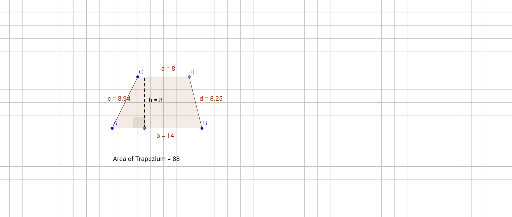
This example demonstrates how to dynamically calculate the area of a trapezium using GeoGebra. It involves core mathematical concepts such as the definition of a trapezium, area formula, and coordinate geometry. Key construction steps include using commands like Segment, Line, Point, Polygon, OrthogonalLine, Intersect, Vector, Translate, Midpoint, Angle, and PointIn to build the trapezium and auxiliary lines, followed by calculating base lengths and heights to derive the area. Suitable for high school mathematics teaching and geometric construction learning.
GeoGebra Commands & Parameters
Segment(A, B) → fLine(C, f) → gSegment(A, C) → h_1Point(g) → DSegment(B, D) → iPolygon(A, C, D, B) → poly1, c, a, d, bPoint(f) → EOrthogonalLine(E, a) → h_2Intersect(h_2, a) → FSegment(E, F) → hVector(I, J) → vVector(G, H) → uTranslate(A, u) → A'Translate(C, u) → C'Translate(D, u) → D'Translate(B, u) → B'Translate(A', v) → A''Translate(C', v) → C''Translate(D', v) → D''Translate(B', v) → B''Translate(A, v) → A'_1Translate(C, v) → C'_1Translate(D, v) → D'_1Translate(B, v) → B'_1Polygon(C', D', B') → poly3, b'_3, c'_3, d'_2Midpoint(D', B') → KMidpoint(A'', C'') → LMidpoint(B'', D'') → MPolygon(L, C'', D'', M) → poly5, l_1, c''_2, d''_2, m_1Midpoint(A'_1, C'_1) → NMidpoint(D'_1, B'_1) → OAngle(F, E, A) → αTranslate(A'', v) → A'''Translate(C'', v) → C'''_1Translate(D'', v) → D'''_1Translate(B'', v) → B'''PointIn(poly1) → Pointpoly1