
Trapezium Area by jjudge
Loading the math board and drawing, please wait…
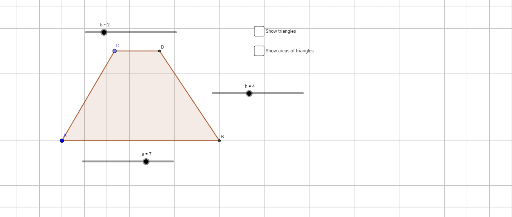
This example demonstrates the calculation of a trapezium's area. Key mathematical concepts include the area formula for a trapezium. Construction highlights include using commands like Point, Circle, Intersect, Polygon, and PointIn to construct a trapezium and understand its area calculation. Suitable for middle school and above students learning geometric construction and area calculation.
GeoGebra Commands & Parameters
Point(g) → CCircle(C, b) → cIntersect(c, g, 2) → DPolygon(A, C, D, B) → poly1, a_1, c_1, d, b_1Polygon(A, C, B) → poly2, b_2, a_2, c_2Polygon(C, D, B) → poly3, b_3, c_3, d_1PointIn(poly2) → Pointpoly2PointIn(poly3) → Pointpoly3
AI Drawing Prompt Reference
Draw a trapezium and calculate its area. Start by taking point C on a line, then draw a circle centered at C with radius b, and find the intersection D with the line. Next, connect points A, C, D, and B to form the trapezium. Then, connect points A, C, and B, and points C, D, and B to form two triangles. Finally, take a point inside each triangle for area calculation.
The prompt above was compiled from the original drawing commands and is for reference only.