
Trapezium Angles Demo
Loading the math board and drawing, please wait…
In collections
Folding paper, doing geometry figures
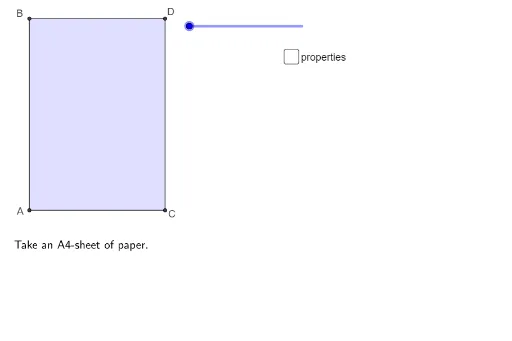
This example demonstrates the relationships and calculations of interior and exterior angles in a trapezium. It involves core math concepts like polygons, angle measurement, and geometric transformations. Construction highlights include using Polygon, Midpoint, CircleArc, Segment, Rotate, Intersect, OrthogonalLine, Line, Point, and Angle commands. Suitable for middle school and above students learning geometric constructions and properties exploration.
GeoGebra Commands & Parameters
Polygon(A, C, D, B) → vierhoek1, a, c, d, bMidpoint(B, D) → BDMidpoint(A, C) → FMidpoint(B, E) → GCircleArc(B, DD, D) → eSegment(B, E) → fPolygon(B, A, C, E) → vierhoek2, b_1, a_1, c_1, e_1Polygon(B, E, D) → driehoek1, d_1, b_2, e_2Rotate(B, (((-(s - 1)) * 180))°, e_1) → B'Rotate(E, (((-(s - 1)) * 180))°, e_1) → E'Rotate(D, (((-(s - 1)) * 180))°, e_1) → D'Polygon(B', E', D') → driehoek1', d', b', e'Polygon(DD, E, B) → driehoek2, b_3, dd, e_3Segment(G, F) → gPolygon(G, F, C, E) → vierhoek3, g_1, f_1, c_2, e_4Polygon(B, A, F, G) → vierhoek4, b_4, a_2, f_2, g_2Rotate(G, (((-(s - 3)) * 180))°, f_2) → G'Rotate(F, (((-(s - 3)) * 180))°, f_2) → F'Rotate(C, (((-(s - 3)) * 180))°, f_2) → C'Rotate(E, (((-(s - 3)) * 180))°, f_2) → E'_1Polygon(G', F', C', E'_1) → vierhoek3', g', f', c', e'_1Polygon(A, F, G, DD) → vierhoek5, a_3, f_3, g_3, dd_1Polygon(FE, A, F) → driehoek3, f_4, fe, a_4Segment(A, FA) → iRotate(FE, (((-(s - 5)) * 180))°, i) → FE'Rotate(A, (((-(s - 5)) * 180))°, i) → A'Rotate(F, (((-(s - 5)) * 180))°, i) → F'_1Polygon(B, A, FA, G) → vierhoek6, r, t, i_1, j_1Intersect(g_3, i) → HOrthogonalLine(H, g', xOyPlane) → jLine(BD, F) → nPoint(n) → KCircleArc(K, C, A) → pPolygon(G, H, F) → driehoek4, f_6, g_5, h_1Intersect(f_6, Line[FE, GG]) → JOrthogonalLine(H, b) → kCircleArc(A, F, FB) → hPolygon(A, F, FA) → driehoek5, fa, a_5, f_5Rotate(A, (((-(s - 5)) * 180))°, t) → A'_1Rotate(F, (((-(s - 5)) * 180))°, t) → F'_2Rotate(FA, (((-(s - 5)) * 180))°, t) → FA'Polygon(A'_1, F'_2, FA') → driehoek5', fa', a'_1, f'_2Line(DD, GG) → lIntersect(l, i) → IPolygon(G, DD, I, FA) → vierhoek7, g_4, dd_2, i_2, fa_1Line(FB, FA) → mIntersect(m, g_4) → MSegment(M, G) → qSegment(DD, I) → k_1Segment(DD, M) → l_1Segment(B, D) → m_1Segment(D, C) → n_1Angle(A, B, E) → αAngle(B, G, F) → βSegment(C, F) → p_1Angle(FA, A, B) → γAngle(G, FA, A) → δSegment(A, F) → q_1Segment(F, BD) → r_1Segment(FA, G) → s_1Segment(A, B) → t_1Segment(B, G) → h_2Segment(A, FA) → j_2Segment((-0.1, sqrt(2) / 2), (1.1, sqrt(2) / 2)) → k_2
AI Drawing Prompt Reference
Draw a geometric construction featuring a trapezoid with its internal elements. Create a trapezoid ABCD with parallel sides AD and BC. Inside the trapezoid, draw the diagonals AC and BD, along with line segments connecting the midpoints of various sides. Construct multiple circular arcs centered at the trapezoid's vertices to illustrate angle relationships. Create several auxiliary triangles and generate new triangles and quadrilaterals through rotational symmetry, forming a complex geometric network. Mark key intersection points and angles to demonstrate the interior angle sum, exterior angles, and symmetry properties of the trapezoid. The overall figure should reflect the layered structure and mathematical beauty of geometric construction.
The prompt above was compiled from the original drawing commands and is for reference only.