
Translation Transformation of Geometric Figures
Loading the math board and drawing, please wait…
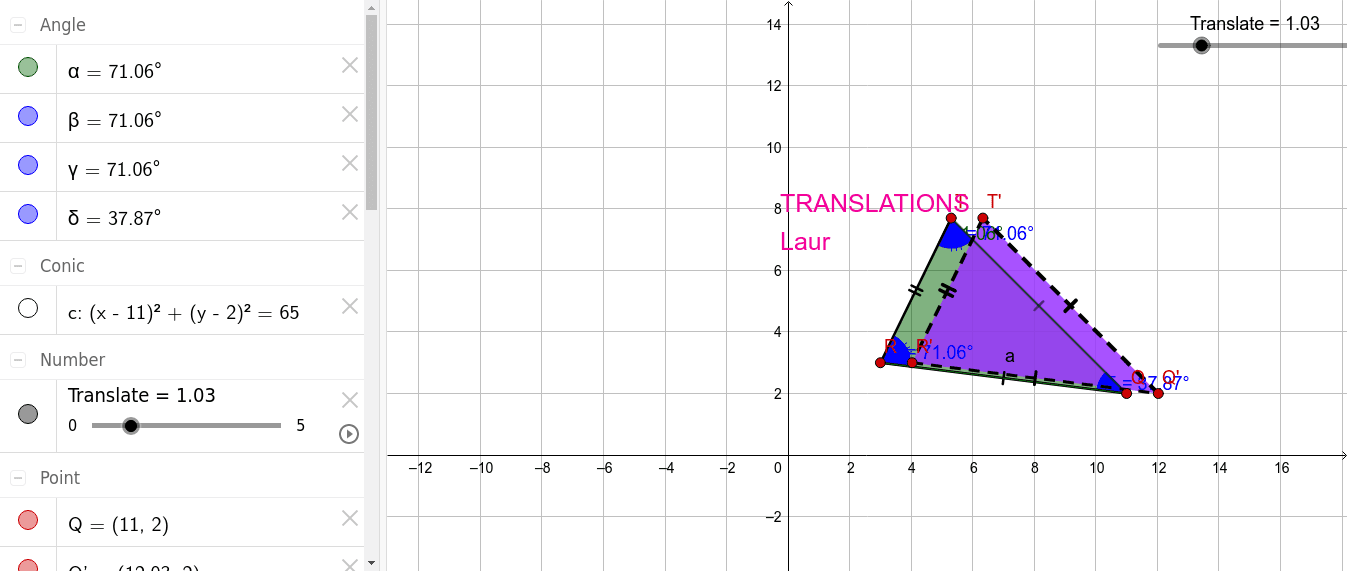
This GeoGebra example illustrates the translation transformation of a composite geometric figure composed of a triangle, circle, and polygon, using a vector to shift the entire construction. It visually demonstrates how points, segments, and angles remain congruent after translation, reinforcing the concept of rigid motion. The construction employs commands such as Segment, Circle, Point, Polygon, Angle, Vector, and Translate, creating translated copies of all objects (e.g., T', R', Q', poly1') while preserving angle measures. Suitable for middle and high school students learning geometric transformations, and useful for teachers to demonstrate the properties of vector-based translation in a dynamic environment.
GeoGebra Commands & Parameters
Segment(Q, R) → aCircle(Q, R) → cPoint(c) → TSegment(T, Q) → fPolygon(T, R, Q) → poly1, q, t, rAngle(R, T, Q) → αAngle(poly1) → β, γ, δVector(Q, Q + (1, 0)) → uTranslate(T, Vector[(u * Translate)]) → T'Translate(R, Vector[(u * Translate)]) → R'Translate(Q, Vector[(u * Translate)]) → Q'Polygon(T', R', Q') → poly1', q', t', r'
AI Drawing Prompt Reference
Draw a composite figure consisting of a triangle, circle, and polygon. First, draw two sides of the triangle and a circle. Then, take a point on the circle as one vertex of the triangle. Next, draw the triangle and polygon, and measure the angles of the triangle. Define a vector and translate the entire figure along this vector to create the translated triangle, circle, and polygon.
The prompt above was compiled from the original drawing commands and is for reference only.