
Translation Transformation Demo by Jeremy Bell
Loading the math board and drawing, please wait…
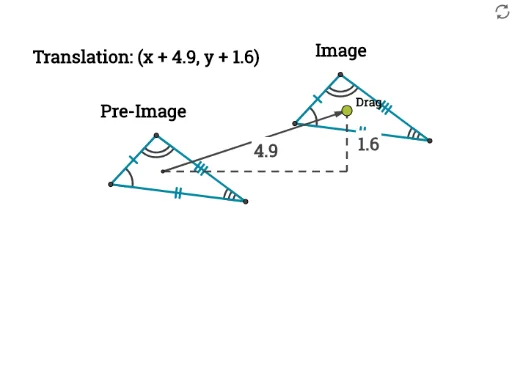
This example demonstrates the process of translating a polygon to a new position using a vector transformation. Key math concepts include vectors, coordinate transformation, polygon construction, and special points (vertices, midpoints). Construction highlights involve commands like Polygon, Vector, Translate, Intersect, Segment, and Midpoint. Suitable for high school coordinate geometry teaching to understand the coordinate representation and geometric meaning of translation transformations.
GeoGebra Commands & Parameters
Polygon(A1, B1, C1) → poly1, c1, a1, b1Vector(D1, D2) → translationVectorTranslate(A1, translationVector) → A2Translate(B1, translationVector) → B2Translate(C1, translationVector) → C2Polygon(A2, B2, C2) → poly2, c2, a2, b2Angle(A1, B1, C1) → anglea1Angle(A2, B2, C2) → αAngle(B1, A1, C1) → βAngle(B2, A2, C2) → γAngle(A1, C1, B1) → δAngle(A2, C2, B2) → εLine(A, D1) → iLine(D2, i) → jLine(A, B) → kLine(D1, k) → lIntersect(j, l) → CSegment(D1, C) → mSegment(D2, C) → nMidpoint(m) → DMidpoint(n) → E