
Translation Tessellation Step 2
Loading the math board and drawing, please wait…
In collections
Translation Tesselation
This example demonstrates the construction of a geometric tessellation pattern through translation operations. Key math concepts include transformation, polygon construction, and central symmetry. The construction uses GeoGebra commands like Polygon and Segment, with points a, b, c, d defining translation vectors. Suitable for high school geometry education to understand transformation geometry and tessellations.
GeoGebra Commands & Parameters
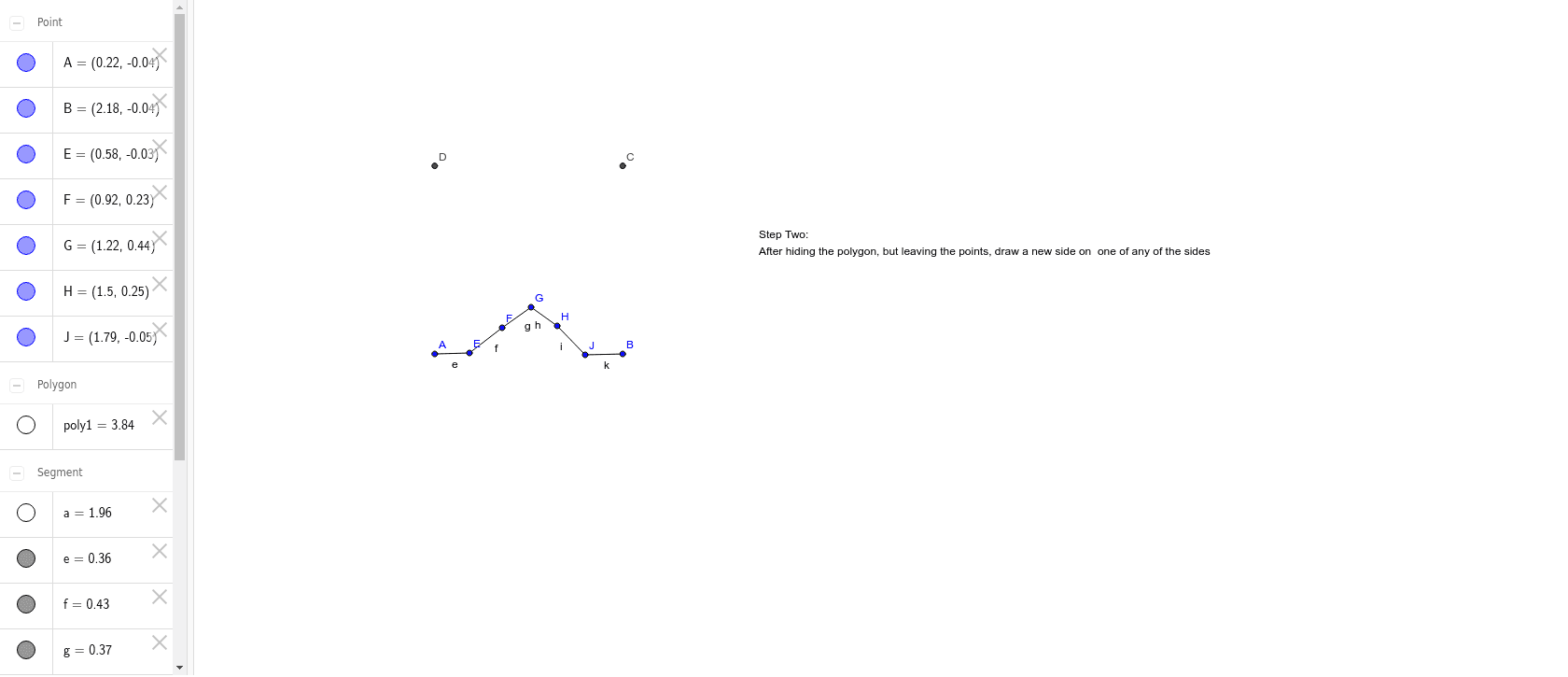
Polygon(A, B, 4) → poly1, a, b, c, d, C, DSegment(A, E) → eSegment(E, F) → fSegment(F, G) → gSegment(G, H) → hSegment(J, B) → kSegment(H, J) → i
AI Drawing Prompt Reference
Draw a tessellation pattern created by translating a square-based unit. Start with a square, using its four vertices as reference points for translation vectors. Inside the square, draw a line segment from the top-left vertex downward to the right, then continue with segments going right, down, and left to form a zigzag path. Next, draw a segment from the bottom-right vertex upward to the left, connecting to the end of the zigzag path, completing a closed shape. Finally, repeat this unit by translating it along the square's edges to create a continuous tiling pattern, demonstrating the effect of geometric translation.
The prompt above was compiled from the original drawing commands and is for reference only.