
Translation Investigation: Dynamic Triangle Transformation with Vectors
Loading the math board and drawing, please wait…
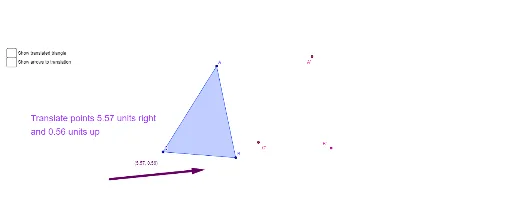
This example demonstrates how to perform translation transformations on triangles using vectors. Core mathematical concepts include translation transformation, vector operations, and similarity. Construction details: Use the Polygon command to draw the original triangle ABC, define a translation vector v with the Vector command, apply the Translate command to create translated points A', B', C', and draw the translated triangle; set up text input boxes for users to customize vector coordinates (v_x, v_y) for interactive dynamic demonstration; display the distance between point A and its translated point A' using the Distance command to help students intuitively understand that corresponding points are connected by equal and parallel segments after translation. Suitable for middle school geometry teaching to aid understanding of translation transformations and vector applications in geometry.
GeoGebra Commands & Parameters
Polygon(A, B, C) → poly1_1, c_1, a_1, b_1Translate(B, v) → B'Translate(A, v) → A'Translate(C, v) → C'Polygon(A', B', C') → poly1, c', a', b'Textfield(B) → inputBoxBTextfield(A) → inputBoxATextfield(C) → inputBoxCVector(A, A') → uVector(B, B') → wVector(C, C') → zDistance(A, A') → distanceAA'
AI Drawing Prompt Reference
Draw a triangle and define a translation vector. Translate each of the triangle's three vertices by this vector to obtain three new points, then connect these new points to form a second triangle. Draw arrow segments from each original vertex to its corresponding translated vertex, and label the length of each such segment. Add three editable input fields to adjust the vector's horizontal and vertical components, allowing the figure to update dynamically. The overall display illustrates that in a translation, corresponding points are connected by parallel and equal-length segments.
The prompt above was compiled from the original drawing commands and is for reference only.