
Translation and Scaling Transformation Graph
Loading the math board and drawing, please wait…
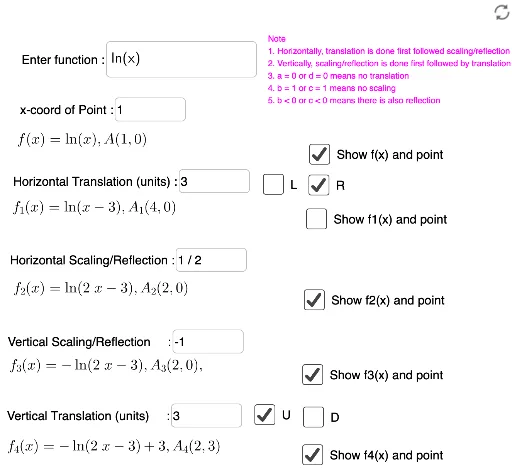
This example demonstrates the effects of translation and scaling transformations on shapes in a 2D plane. Core math concepts include geometric transformations, area changes, and coordinate geometry. It uses commands like Simplify and Textfield, and objects such as h, d, c, b, f, a, e, f1, f2, f3, button1, button2, o, InputBox1, ax, InputBox2, ay, A, InputBox3, ax1, ay1, A1, text1, InputBox4, ax2, ay2, A2, InputBox5, ax3, ay3, A3, InputBox6, f4, ax4, ay4, A4, g, i, j, k. Suitable for high school mathematics education to understand the properties and applications of transformations.
GeoGebra Commands & Parameters
Simplify(f(x + If[e, a, (-a)])) → f1Simplify(f1(x / (b))) → f2Simplify((c * f2(x))) → f3Textfield(f) → InputBox1Textfield(ax) → InputBox2Textfield(a) → InputBox3Textfield(b) → InputBox4Textfield(c) → InputBox5Textfield(d) → InputBox6Simplify(f3(x) + If[h, d, (-d)]) → f4
AI Drawing Prompt Reference
Draw a function f(x) first, then apply translation and scaling transformations to get f1(x), f2(x), and f3(x). The translation parameter is controlled by InputBox1, the scaling ratio by InputBox2 and InputBox3, and the translation distance by InputBox4. Finally, translate f3(x) along the x-axis by d units to get f4(x).
The prompt above was compiled from the original drawing commands and is for reference only.