
Transforming a Cube into a Pyramid – GeoGebra Construction
Loading the math board and drawing, please wait…
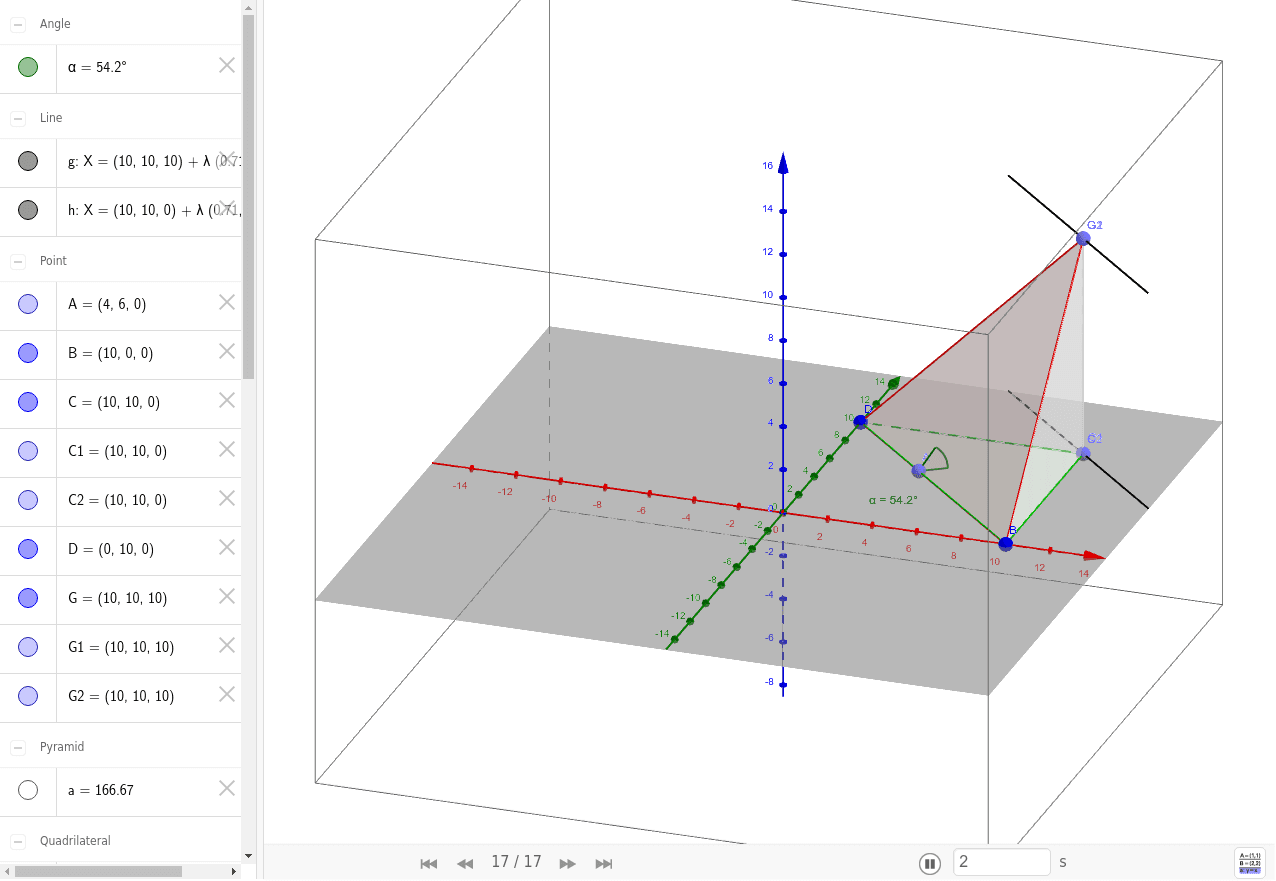
This example demonstrates the geometric transformation from a cube to a pyramid using GeoGebra constructions. It illustrates solid geometry concepts such as dilation, trapezoidal cross‑sections, and hypothesis testing in a visual way. The construction employs commands like Polygon, Segment, Pyramid, Point, Line, and Angle to create faces, edges, and vertices, allowing users to explore the morphing process interactively. It is intended for high‑school geometry students and teachers who want to visualize three‑dimensional transformations.
GeoGebra Commands & Parameters
Polygon(D, B, C) → poly1, c, d, bSegment(C, G) → fPyramid(poly1, G) → a, faceBDG, faceBCG, faceCDG, edgeDG, edgeBG, edgeCGPoint(c) → ALine(G, c) → gLine(C, c) → hPoint(g) → G1Point(g) → G2Polygon(D, G1, G2, B) → poly2, d_1, g1, g2, b_1Point(h) → C1Point(h) → C2Polygon(C1, D, B, C2) → poly3, e, d_2, b_2, f_1Angle(G, A, C) → α
AI Drawing Prompt Reference
Draw a cube and transform part of it into a pyramid by stretching and slicing, showing the morphing process. Start by constructing the cube's faces and edges, then stretch and connect parts of the cube's faces from its vertices to form the pyramid's sides while keeping the base. Finally, mark key points and lines, and indicate the angle between the cube's vertex and the base vertices, to observe the geometric transformation.
The prompt above was compiled from the original drawing commands and is for reference only.