
Transformation of a Rhombus
Loading the math board and drawing, please wait…
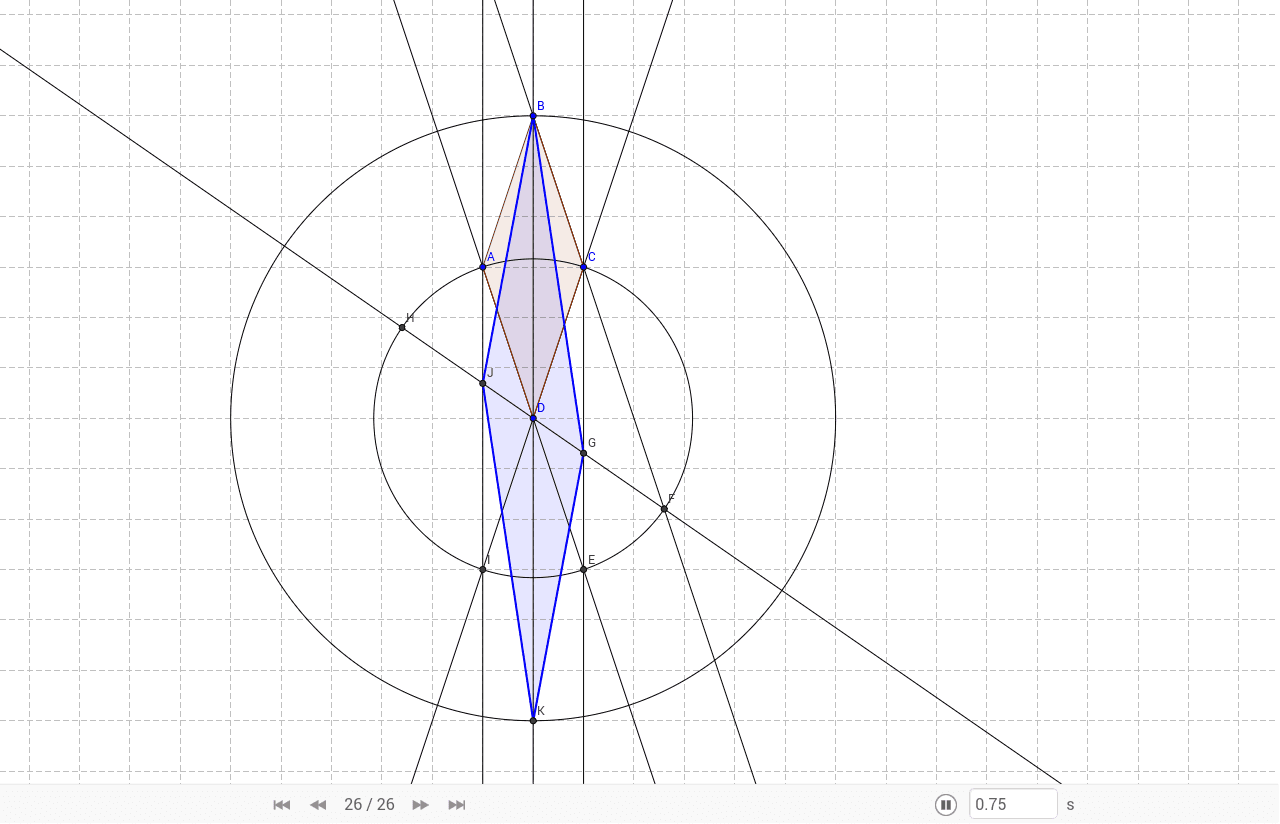
This example demonstrates how a rhombus can be transformed into a parallelogram. It involves key mathematical concepts such as rhombus, ellipse, intersection, and reflection. Using GeoGebra commands like Polygon, Line, Circle, Intersect, etc., the construction of a rhombus and its transformation process can be observed. Suitable for middle school students and math enthusiasts studying geometric transformations.
GeoGebra Commands & Parameters
Polygon(A, B, C, D) → poly1, a, b, c, dLine(B, D) → eCircle(D, B) → fCircle(D, A) → gLine(A, D) → hIntersect(g, h, 2) → ELine(B, C) → iIntersect(g, i, 2) → FLine(F, D) → jLine(C, E) → kIntersect(j, k) → GIntersect(g, j, 2) → HLine(C, D) → lIntersect(g, l, 2) → ILine(A, I) → mIntersect(j, m) → JSegment(J, B) → nSegment(B, G) → pIntersect(f, e, 2) → KSegment(G, K) → qSegment(K, J) → rPolygon(J, B, G, K) → poly2, j_1, b_1, g_1, k_1
AI Drawing Prompt Reference
Draw a rhombus ABCD and then transform it into a parallelogram through reflection. Start by drawing the rhombus ABCD with points A, B, C, and D. Next, draw line BD and a circle centered at D with radius DB, and another circle centered at D with radius DA, finding their intersection points E and F. Connect CF and BE, and find their intersections with AD and BC at points G and H. Then, draw line CD and find its intersection with the two circles at point I. Connect AI, and find its intersection with BE at point J. Draw line segments JB and BG, and find their intersections with the circle centered at D at point K. Finally, draw line segments KG and JK to form the new parallelogram JBGK.
The prompt above was compiled from the original drawing commands and is for reference only.