
Tracing a Vector Path on a Sphere
Loading the math board and drawing, please wait…
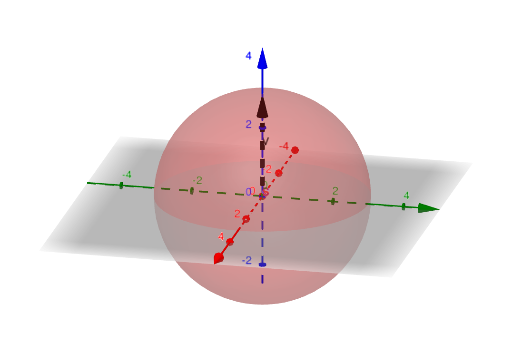
This example demonstrates how to trace (draw) a vector-generated path in 3D space, visualizing the resulting curve on/around a spherical geometric setting. It centers on core ideas such as vector representation, parameterized motion in Cartesian coordinates, the locus/trajectory viewpoint, and the use of solid geometry (a sphere) as a reference or constraint for the traced path. In GeoGebra, the construction uses CurveCartesian to create a Cartesian curve, Sphere to define the 3D spherical object, and Vector to represent and trace the direction/position contributions that determine where the curve goes. Key created objects include a control button (button1) and parameters/values like a, r, component expressions fx, fy, fz, plus sphere/center-related quantities (c, s) and a vector variable (v) that drive the animation or computation. Suitable for high school to early undergraduate geometry and analytic geometry, as well as visualization-focused math activities on vectors and loci.
GeoGebra Commands & Parameters
CurveCartesian(fx(u), fy(u), fz(u), u, 0, a) → cSphere((0, 0, 0), r) → sVector((0, 0, 0), c(a)) → v
AI Drawing Prompt Reference
Draw a path in 3D space generated by a vector, making it move around and trace a curve on a sphere. The path is defined by a parametric equation, with the sphere as a reference geometric object. First create a curve based on a parameter, then construct a sphere, and finally use a vector from the origin to a point on the curve to represent and trace the direction and position of the path.
The prompt above was compiled from the original drawing commands and is for reference only.