
The Orthocenter Locus: Tracing the Path of a Triangle's Altitude Intersection
Loading the math board and drawing, please wait…
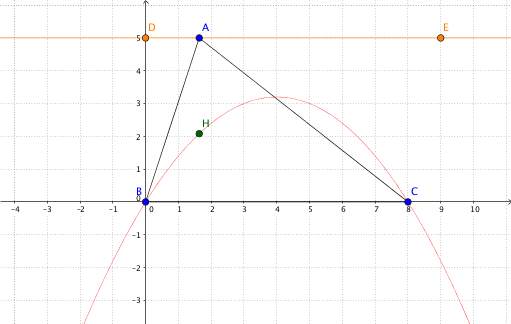
This GeoGebra example dynamically demonstrates the locus of the orthocenter (the intersection of the three altitudes) of a triangle as a point moves, revealing how the orthocenter's position changes with the triangle's shape. The core mathematical concepts include the orthocenter property, perpendicular lines (altitudes), intersection points, and locus generation. The construction uses basic objects like Line, Point, and Segment to build the triangle, OrthogonalLine to draw altitudes, Intersect to find the orthocenter H, and Locus to trace the path (loc1) of H as a driving point moves. A button (button1) is included to control animation or reset. This example is suitable for middle/high school geometry classes exploring dynamic triangle properties, as well as introductory analytic geometry or computer-assisted geometric construction courses. By observing the traced curve, learners can deepen their understanding of how the orthocenter relates to triangle shape variations and appreciate the power of parametric dynamic geometry.
GeoGebra Commands & Parameters
Line(D, E) → kPoint(k) → ASegment(A, B) → fSegment(B, C) → gSegment(C, A) → hOrthogonalLine(A, g) → iOrthogonalLine(B, h) → jIntersect(i, j) → HLocus(H, A) → loc1