
Exploring Why SSA Does Not Always Work
Loading the math board and drawing, please wait…
In collections
Triangle Congruency Exploration
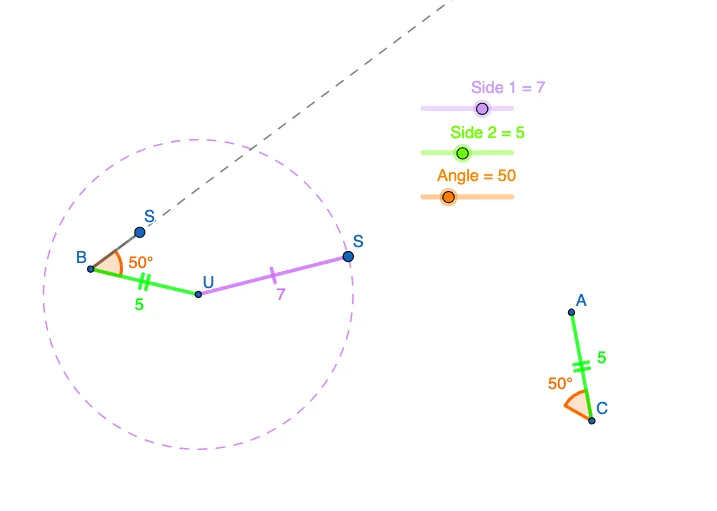
This example uses a purple slider to explore the SSA (two sides and a non-included angle) condition in triangle construction. It demonstrates why SSA does not always determine a unique triangle. Key mathematical concepts include triangle construction, angles, and side relationships. GeoGebra commands used include Circle, Point, Segment, Rotate, Angle, Ray, and Intersect. Suitable for middle school and above students to learn about geometric construction and triangle conditions.
GeoGebra Commands & Parameters
Circle(E, s2) → ePoint(e) → FCircle(A, s2) → cPoint(c) → USegment(A, U) → fRotate(U, Angle°, A) → B'Angle(U, A, B') → αRay(A, B') → gCircle(U, s1) → dPoint(d) → CSegment(U, C) → hPoint(g) → DSegment(A, D) → iSegment(E, F) → jRotate(F, Angle°, E) → F'Circle(F, s1) → kAngle(F, E, F') → βRay(E, F') → lIntersect(k, l, 2) → RSegment(F, R) → mSegment(E, R) → n
AI Drawing Prompt Reference
Explore SSA triangle construction with a purple slider to show it doesn't always determine a unique triangle. Start by drawing two sides and an included angle, then create circles centered on these sides. Find intersection points to form triangles, rotate one angle, and connect key points. Draw rays and intersect circles to illustrate the SSA ambiguity.
The prompt above was compiled from the original drawing commands and is for reference only.