
Telling Time to 5 Minutes
Loading the math board and drawing, please wait…
In collections
Primary School Mathematics Collection
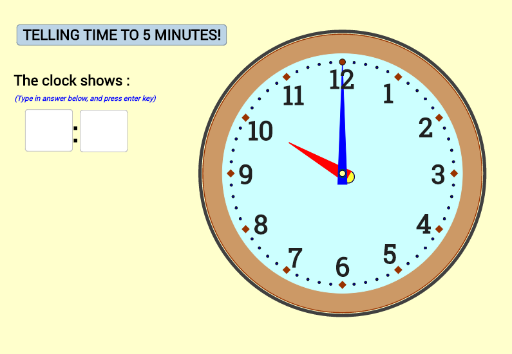
This example demonstrates how to construct a 5-minute timer using GeoGebra, involving concepts like angles, time calculation, and geometric transformations. Key GeoGebra commands and objects used include Random, If, Circle, Rotate, Tangent, Intersect, Dilate, Polygon, Semicircle, Line, OrthogonalLine, Midpoint, Textfield, Ellipse, and Sequence. Suitable for middle school mathematics education to understand the relationship between time and angles and geometric construction techniques.
GeoGebra Commands & Parameters
Random(0, 11) → A16If(counterlevel < 6, (Random[0, 3] * 15), (Random[0, 11] * 5)) → B16Circle(A, 0.05) → r6Rotate(C, (-C17), A) → C'Tangent(C', r6) → t7, t1Intersect(r6, t7) → ZDilate(Z, 1.15, C') → FIntersect(r6, t1) → XDilate(X, 1.15, C') → ECircle(A, 0.15) → r7Rotate(D, (-B17), A) → D'Tangent(D', r7) → t3, t6Intersect(r7, t3) → JDilate(J, 1.1, D') → MIntersect(r7, t6) → HDilate(H, 1.1, D') → NCircle(A, 5) → r1Circle(A, 4.3) → r2Polygon(F, E, C') → tg1, d10, d11, d13Polygon(D', N, M) → tg2, d4, d6, d3Circle(A, 0.2) → r8Rotate(B, (-A17), A) → B'Tangent(B', r8) → t8, t2Intersect(r8, t8) → KIntersect(r8, t2) → LDilate(K, 1.12, B') → GDilate(L, 1.12, B') → IPolygon(I, G, B') → tg3, d7, d2, d1Rotate(D, 30°, A) → DARotate(DA, 30°, A) → DBRotate(DB, 30°, A) → DCRotate(DC, 30°, A) → DDRotate(DD, 30°, A) → DERotate(DE, 30°, A) → DFRotate(DF, 30°, A) → DGRotate(DG, 30°, A) → DHRotate(DH, 30°, A) → DIRotate(DI, 30°, A) → DJRotate(DJ, 30°, A) → DKCircle(A, 5.1) → r3Semicircle(I, G) → z1Semicircle(I, G) → z2Intersect(r3, r2) → O, , ,Line(D, DF) → t4Intersect(r3, t4) → P, QOrthogonalLine(Q, t4) → t5Midpoint(T, R) → VMidpoint(U, S) → WCircle(V, R) → r4Circle(W, S) → r5Polygon(T, R, S, U) → tg4, d9, d5, d8, d12Semicircle(T, R) → z3Semicircle(S, U) → z4If(A16 < 10, "0" + A16, "" + A16) → A18If(B16 < 10, "0" + B16, "" + B16) → B18If(C16 < 10, "0" + C16, "" + C16) → C18Textfield(userinputhour) → InputBox1Textfield(userinputminute) → InputBox2If(useranswerhour ≟ A16, true, false) → answerhourcorrectIf(useranswerminute ≟ B16, true, false) → answerminutecorrectPolygon(D', N, M) → tg2_{err}, m_1, d', nPolygon(I, G, B') → tg3_{err}, b', i, gIf(answerhourcorrect, false, If[answerminutecorrect, false, true]) → answerbothwrongMidpoint(A, D') → M_{AD'}Rotate(M_{AD'}, -15°, A) → M_{D}Ellipse(A, D', M_{D}) → dMidpoint(A, B') → M_{AB'}Rotate(M_{AB'}, -45°, A) → M_{B'}Ellipse(A, B', M_{B'}) → eSequence(Rotate[D, (-6° * i), A], i, 1, 60) → Li2Circle(Element[Li2, If[A16 ≟ 0, 60, (A16 * 5)]], 0.7) → f
AI Drawing Prompt Reference
Draw a 5-minute timer using circles, rotations, tangents, and intersections to create angle markers, showing the relationship between time and angles, forming a geometric timer shape.
The prompt above was compiled from the original drawing commands and is for reference only.