
Tape Diagrams Stage 3: Dynamic Geometry Interactive Demo
Loading the math board and drawing, please wait…
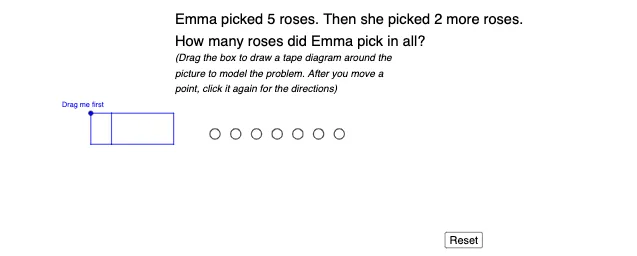
① This GeoGebra example demonstrates the construction and interaction of 'Tape Diagrams' at Stage 3, integrating multiple themes such as plane geometry, stochastic processes, trigonometry, quadratic functions, and definite integrals. ② Core mathematical concepts include geometric construction (points, segments, perpendicular lines, intersections), conditional logic (If command), circles, and text input, with dynamic changes controlled by sliders and buttons, visualizing functions and integral ideas intuitively. ③ Construction highlights: uses GeoGebra commands such as Point, Segment, OrthogonalLine, Intersect, If, Circle, and Textfield, creating objects including text3, text4, I, J, A through Q, f, g, h, S, T, i, j, U, V, k1, l, m, n, p, q, r, Reset, m2, m3, ShowM2, and ShowM3, with sliders and checkboxes for display control and reset, enabling interactive exploration. ④ Suitable for middle school to university mathematics teaching and self-study, especially for geometric construction, function graphing, and dynamic math experiments, helping learners understand the connection between abstract concepts and visual representations.
GeoGebra Commands & Parameters
Point(Circle[R, 1.5]) → QSegment(R, Q) → fOrthogonalLine(R, f) → gOrthogonalLine(Q, f) → hPoint(g) → SPoint(g) → TOrthogonalLine(S, g) → iOrthogonalLine(T, g) → jIntersect(i, h) → UIntersect(j, h) → VSegment(R, Q) → k_{1}Segment(Q, U) → lSegment(U, V) → mSegment(V, T) → nSegment(T, S) → pSegment(S, R) → qSegment(S, U) → rIf(m2 ≟ 1, true, false) → ShowM2If(m3 ≟ 1, true, false) → ShowM3If(m1 ≟ 1, true, false) → ShowM1Circle(B_1, 0.25) → cCircle(C_1, 0.25) → dCircle(D_1, 0.25) → eCircle(E_1, 0.25) → sCircle(F_1, 0.25) → tCircle(G_1, 0.25) → c_1Circle(H_1, 0.25) → d_1If(k ≟ 1, true, false) → ShowKTextfield() → InputBox1
AI Drawing Prompt Reference
Draw a geometry “tape diagram” style construction on a main circle: start with a circle centered at R and choose a point Q on it. Connect R to Q to form a reference segment, then draw two lines through R and through Q that are each perpendicular to that reference segment. From auxiliary points on the perpendicular line, construct further perpendicular lines through two points S and T, then determine intersection points U and V from these lines and the earlier line. Connect points into a continuous chain using the segments between R and Q, Q and U, U and V, V and T, T and S, S and R, and also the segment S to U. Add several small equal-radius circles at the specified locations on the diagram, and include a text input box on the canvas.
The prompt above was compiled from the original drawing commands and is for reference only.