
Tangent Line and Prism Construction
Loading the math board and drawing, please wait…
In collections
Mapping Diagrams: From AB to C&DE, Resource
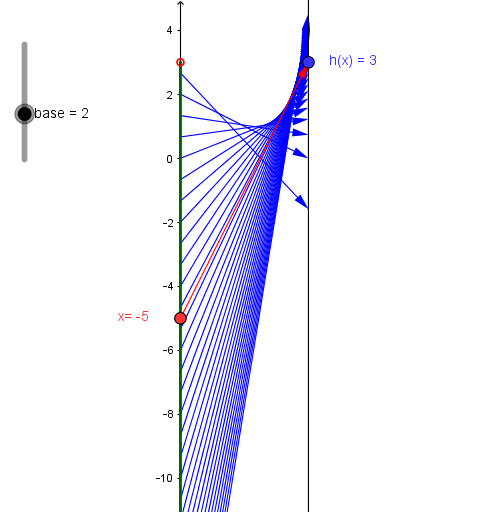
This example demonstrates the construction of tangent lines and prisms, showcasing geometric relationships. It involves core concepts like tangent, variance, prism, geometric mean, and matrices. GeoGebra commands used include Point, Vector, Textfield, Ray, and Sequence. Suitable for high school mathematics students and teachers for teaching demonstrations and exploration.
GeoGebra Commands & Parameters
Point(yAxis) → A_1Vector(A_1, B) → uTextfield(h) → inputBox1Point(yAxis) → EPoint(yAxis) → FRay(E, F) → lRay(G, H) → mSequence((k, h(k)), k, -20, 2.9, 0.66667) → ExpGraphptsSequence(Vector[(0, k), (2, h(k))], k, -20, 2.9, 0.666677) → ExpMDTextfield(g) → inputBox2
AI Drawing Prompt Reference
Draw a line along the y-axis and create two points E and F on it. Use E and F to draw a ray l. Create another point G and a ray m. Generate a series of points ExpGraphpts and vectors ExpMD based on input values h and g, showing geometric relationships. Finally, construct geometric solids using these points and vectors, and label key points and rays to illustrate the construction process.
The prompt above was compiled from the original drawing commands and is for reference only.