
Tangent–Circle Configuration via Geometric Transformations
Loading the math board and drawing, please wait…
In collections
geometriadinamica.es
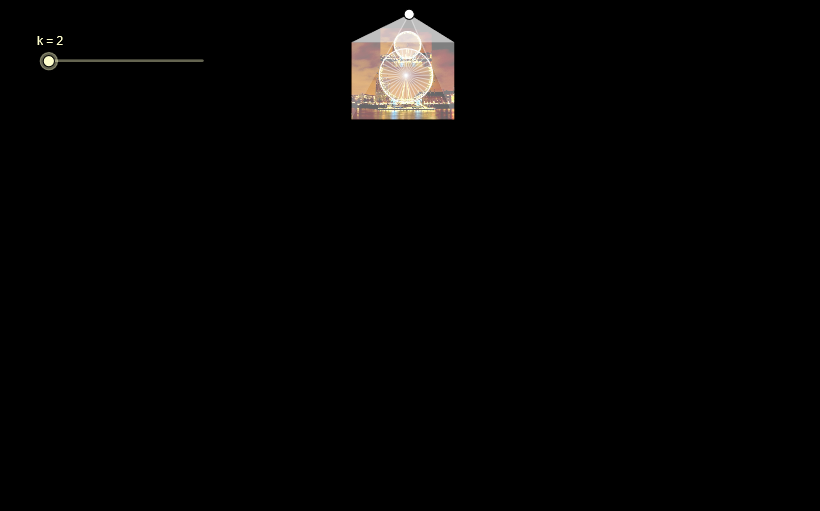
This example demonstrates how to build a tangent–circle configuration by combining circle construction with tangents, intersections, and a sequence of geometric transformations. Visually, it highlights key points such as the tangency/contact points and the intersection structure created under given constraints. The central math ideas include circle geometry, tangent lines, line–circle (or line–line) intersection, and the broader notion of relating geometric proportions/angles to functional relationships (consistent with the provided topic tags such as exponent/cosine). Construction uses GeoGebra commands Ray to set directions, Dilate to scale key elements, Rotate to reorient the configuration, and OrthogonalLine to enforce perpendicular constraints. It employs Polygon and Segment to organize the framework, Circle to define the main circle, Tangent to generate tangents, and Intersect to compute critical intersection points. The construction also relies on multiple parameterized points/variables (e.g., A–K, along with parameters like k, a, b, c, and radio) to drive the geometry and measurements. Suitable for late middle school through early university, especially for lessons on geometric construction, tangent properties, and transformation-based reasoning.
GeoGebra Commands & Parameters
Ray(A, C) → aRay(A, B) → bRay(A, D) → cDilate(B, k, A) → EDilate(C, k, A) → FDilate(D, k, A) → GPolygon(A, E, G) → P, g, a_1, ePolygon(A, F, E) → Q, e_1, a_2, fDilate(H, k, A) → IPolygon(A, G, I) → R, i, a_3, g_1Polygon(A, F, I) → S, i_1, a_4, f_1Circle(J, radio) → dDilate(J, k, A) → KCircle(K, (radio * k)) → hTangent(A, h) → j, lIntersect(h, l) → LIntersect(h, j) → MSegment(L, A) → mSegment(A, M) → nPoint(h) → NRotate(N, α, K) → ORotate(O, α, K) → TRotate(T, α, K) → URotate(U, α, K) → VRotate(V, α, K) → WRotate(W, α, K) → YRotate(Y, α, K) → ZRotate(Z, α, K) → A_1Rotate(A_1, α, K) → B_1Rotate(B_1, α, K) → C_1Rotate(C_1, α, K) → D_1Rotate(D_1, α, K) → E_1Rotate(E_1, α, K) → F_1Rotate(F_1, α, K) → G_1Rotate(G_1, α, K) → H_1Rotate(H_1, α, K) → I_1Rotate(I_1, α, K) → J_1Rotate(J_1, α, K) → K_1Rotate(K_1, α, K) → L_1Rotate(L_1, α, K) → M_1Rotate(M_1, α, K) → N_1Rotate(N_1, α, K) → O_1Rotate(O_1, α, K) → P_1Rotate(P_1, α, K) → Q_1Rotate(Q_1, α, K) → R_1Rotate(R_1, α, K) → S_1Rotate(S_1, α, K) → T_1Rotate(T_1, α, K) → U_1Rotate(U_1, α, K) → V_1Rotate(V_1, α, K) → W_1Rotate(W_1, α, K) → Y_1Rotate(Y_1, α, K) → Z_1Segment(K, N) → pSegment(K, Z_1) → qSegment(K, Y_1) → rSegment(K, W_1) → sSegment(K, V_1) → tSegment(K, U_1) → b_1Segment(K, T_1) → c_1Segment(K, S_1) → d_1Segment(K, R_1) → h_1Segment(K, Q_1) → j_1Segment(K, P_1) → k_1Segment(O_1, K) → l_1Segment(N_1, K) → m_1Segment(M_1, K) → n_1Segment(L_1, K) → p_1Segment(K, K_1) → q_1Segment(K, J_1) → r_1Segment(K, I_1) → s_1Segment(K, H_1) → t_1Segment(K, G_1) → b_2Segment(K, F_1) → c_2Segment(K, E_1) → d_2Segment(K, D_1) → e_2Segment(K, C_1) → f_2Segment(K, B_1) → g_2Segment(K, A_1) → h_2Segment(K, Z) → i_2Segment(K, Y) → j_2Segment(K, W) → k_2Segment(K, V) → l_2Segment(K, U) → m_2Segment(K, T) → n_2Segment(K, O) → p_2OrthogonalLine(A_2, yAxis) → q_2Point(q_2) → B_2Dilate(B_2, k, A_2) → C_2OrthogonalLine(B_2, q_2) → r_2Point(r_2) → D_2Circle(B_2, D_2) → s_2Ray(A_2, D_2) → t_2Intersect(s_2, r_2, 2) → E_2Ray(A_2, E_2) → b_3OrthogonalLine(C_2, q_2) → c_3Intersect(t_2, c_3) → F_2Intersect(b_3, c_3) → G_2Segment(F_2, G_2) → d_3Segment(A_2, F_2) → e_3Segment(A_2, G_2) → f_3Segment(A_2, C_2) → g_3
AI Drawing Prompt Reference
Start from a common vertex, draw three rays in different directions)Skip, and scale points along each ray by the same factor to form two adjacent triangles with the vertex. Then construct a circle centered at another point, and dilate its center by the same factor to create a concentric circle. From the vertex, draw two tangents to the inner circle, mark the tangent points, and connect them to the vertex with segments. Finally, take a point on the inner circle and rotate it repeatedly around the center by a fixed angle to generate a symmetric ring of points. The final figure combines circles, tangents, triangles, and a rotated point pattern.
The prompt above was compiled from the original drawing commands and is for reference only.