
Systems of Linear Equations Geometrically
Loading the math board and drawing, please wait…
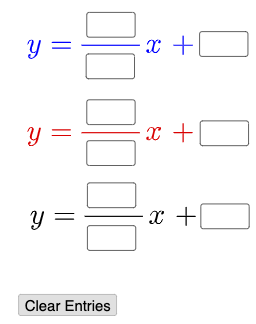
This example demonstrates the geometric solution of systems of linear equations. Key mathematical concepts include linear equations, linear functions, and the centroid of a triangle. Using GeoGebra commands such as Textfield, PointIn, and InputBox, users can dynamically adjust equation parameters and observe how the solutions change. Suitable for students in middle school and above studying linear algebra and coordinate geometry.
GeoGebra Commands & Parameters
Textfield(a) → InputBox1Textfield(b) → InputBox2Textfield(c) → InputBox3Textfield(d) → InputBox4Textfield(e) → InputBox5Textfield(f) → InputBox6Textfield(g) → InputBox7Textfield(h) → InputBox8Textfield(i) → InputBox9Textfield(j) → InputBox10Mode(l1) → l2If(Length[l2] ≟ 0, "No digits repeat.", "Repeated digits exist.") → text4PointIn(x ≥ -9 ∧ x ≤ 9 ∧ y ≥ -9 ∧ y ≤ 9) → B
AI Drawing Prompt Reference
Create a coordinate-geometry diagram for the geometric solution of a system of linear equations. Provide input fields for coefficients a, b, c and for the second linear relation d, e, f, and also additional parameters g, h, i that affect the geometric setup. Draw the coordinate plane and include a point whose position is restricted to the square region where x and y both lie between −9 and 9, representing the possible solution/interaction location within that area. Add on-plot text that displays a message about whether repeated digits exist, updating according to the given condition.
The prompt above was compiled from the original drawing commands and is for reference only.