
Systems of Linear Equations Demo by George Cadiente
Loading the math board and drawing, please wait…
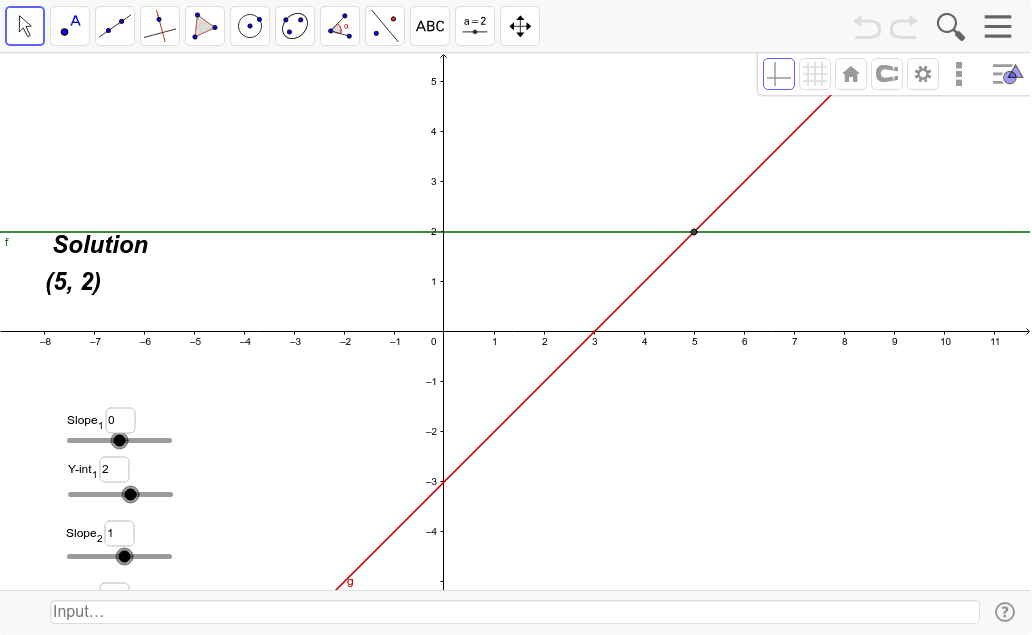
This example demonstrates solving systems of linear equations graphically, visually showing the intersection point of two lines as the solution. Core math concepts include linear equations, coordinate geometry, and intersection solving. Constructed using GeoGebra's Intersect command for finding intersections, Textfield for displaying text, and parameters like m, b, m2, b2 for line equations. Suitable for high school mathematics teaching to help students understand the geometric meaning and methods of solving linear systems.
GeoGebra Commands & Parameters
Intersect(f, g, 1) → ATextfield(m) → InputBox1Textfield(b) → InputBox2Textfield(m2) → InputBox3Textfield(b2) → InputBox4
AI Drawing Prompt Reference
Draw a Cartesian coordinate plane with two straight lines representing two linear equations. Each line is defined by its slope and intercept, and four input boxes are shown to adjust these parameters for both lines. The intersection point of the two lines is clearly marked as the solution to the system. The graph should visually demonstrate how changing the parameters moves the intersection, suitable for teaching the geometric interpretation of solving linear systems.
The prompt above was compiled from the original drawing commands and is for reference only.