
Symmetry Points on Rose Curve
Loading the math board and drawing, please wait…
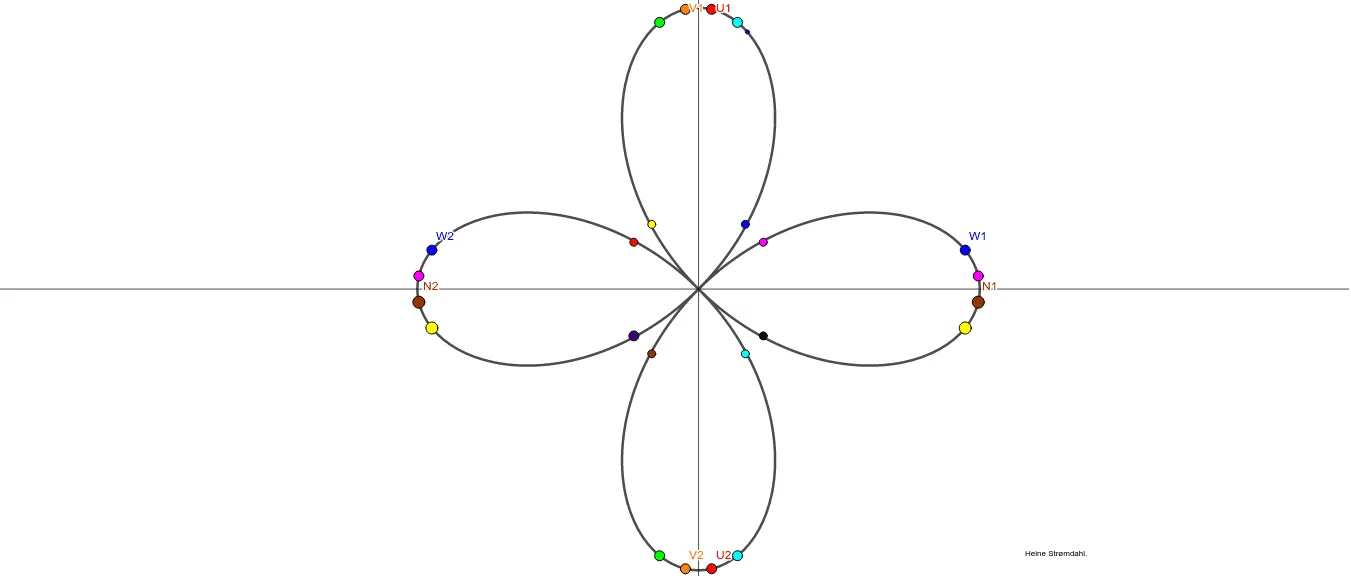
This example demonstrates symmetry points on a rose curve. Key mathematical concepts include trigonometric functions and symmetry. Using GeoGebra commands such as Circle, CurveCartesian, Mirror, etc., the construction of the rose curve and observation of its symmetry are shown. Suitable for high school math education or learning.
GeoGebra Commands & Parameters
Circle(A, 0.1) → cCurveCartesian(((3 * cos((2 * ω))), ((3 * cos((2 * ω))) * sin((2 * ω)))), ω, 0, (2 * π)) → aCurveCartesian((((3 * cos((2 * ω))) * sin(ω)), ((3 * cos(ω)) * cos((2 * ω)))), ω, 0, (2 * π)) → bMirror(W1, ligning1) → W2Mirror(K, ligning1) → K'Mirror(N1, ligning1) → N2Mirror(Z1, ligning1) → Z2
AI Drawing Prompt Reference
Draw a rose curve and observe its symmetry. First, draw a circle, then use parametric equations to draw the rose curve, and finally draw its mirror to observe the symmetry.
The prompt above was compiled from the original drawing commands and is for reference only.