
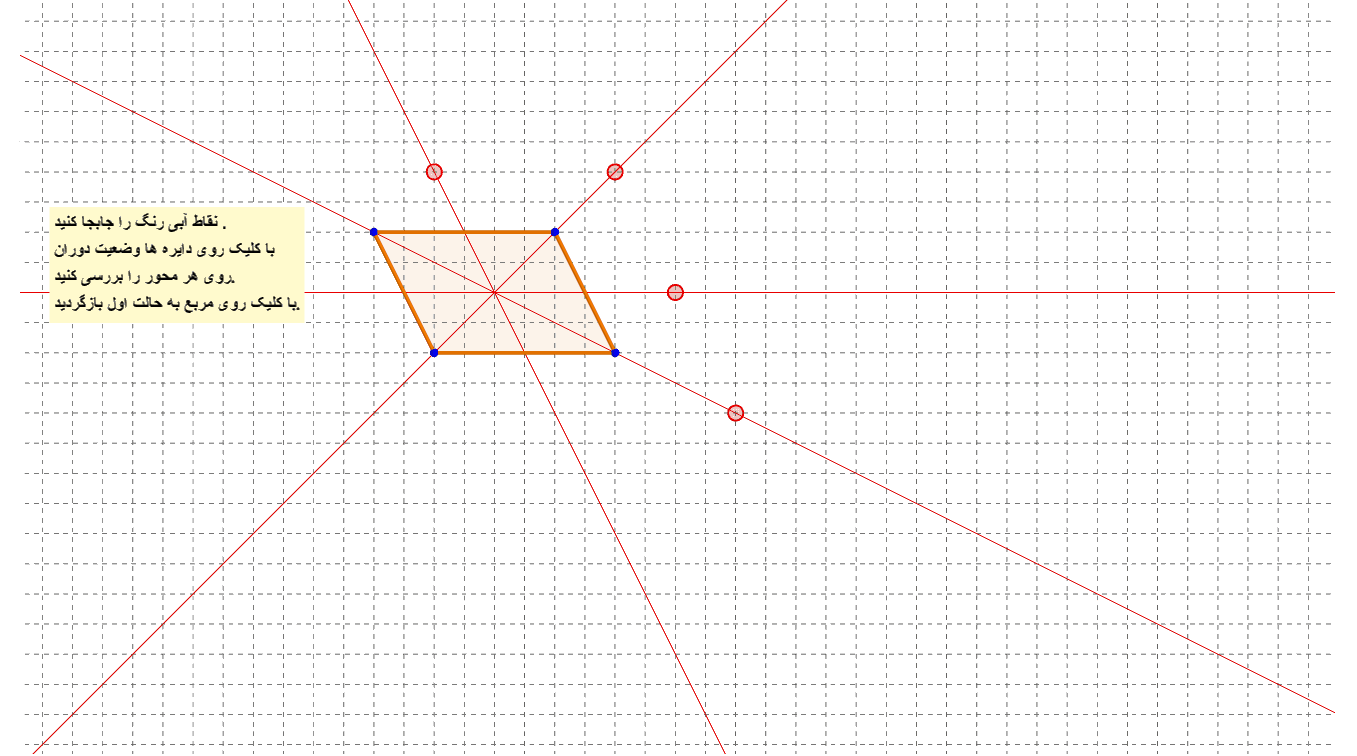
Symmetry Axes of a Parallelogram
Loading the math board and drawing, please wait…
This example demonstrates the symmetry axes of a parallelogram and its properties. Key math concepts include symmetry, parallelogram characteristics, midpoints, rotation, and reflection transformations. GeoGebra commands and objects used in construction are PointIn, Polygon, Midpoint, Line, Circle, Intersect, Rotate, Mirror. Suitable for middle school students and above to learn geometric transformations and symmetry, and high school mathematics teaching.
GeoGebra Commands & Parameters
PointIn(j) → BPointIn(j) → DPointIn(j) → CPointIn(j) → APolygon(A, B, C, D) → poly1, a, b, c, dMidpoint(a) → EMidpoint(c) → FMidpoint(d) → GMidpoint(b) → HLine(E, F) → fLine(G, H) → gLine(A, C) → hLine(D, B) → i_2Circle(H, 1, xOyPlane) → eCircle(B, 1, xOyPlane) → kCircle(E, 1, xOyPlane) → pCircle(C, 1, xOyPlane) → qIntersect(f, p, 1) → IIntersect(i_2, k, 2) → JIntersect(g, e, 2) → KIntersect(h, q, 2) → LCircle(I, 0.5, f) → rCircle(J, 0.5, i_2) → sCircle(K, 0.5, g) → tCircle(L, 0.5, h) → c_1Polygon(E, A, D, F) → poly2, e_1, a_1, d_1, f_1Polygon(E, B, C, F) → poly3, e_2, b_1, c_2, f_2Rotate(B, α, f) → B'Rotate(C, α, f) → C'Polygon(F, C', B', E) → poly4, f_3, c', b', e_3Polygon(G, D, C, H) → poly6, g_1, d_2, c_3, h_1Polygon(H, B, A, G) → poly7, h_2, b_2, a_2, g_2Rotate(C, (-α), g) → C'_1Rotate(D, (-α), g) → D'Polygon(D', G, H, C'_1) → poly8, d', g_3, h_3, c'_1Polygon(D, A, B) → poly9, b_3, d_3, a_3Polygon(D, B, C) → poly10, c_4, d_4, b_4Rotate(C, (-α), i_2) → C'_2Intersect(b, a) → QPolygon(C'_2, B, D) → poly11, d_5, c'_2, b_5Polygon(A, B, C) → poly12, c_5, a_4, b_6Polygon(A, C, D) → poly13, d_6, a_5, c_6Rotate(D, (-α), h) → D'_1Polygon(D'_1, A, C) → poly14, c_7, d'_1, a_6Intersect(g, f) → RIntersect(i_2, h) → SMirror(S, B) → S'Mirror(S, C) → S'_1Mirror(R, H) → R'Mirror(R, E) → R'_1Circle(R'_1, 0.25, xOyPlane) → k_1Circle(S', 0.25, xOyPlane) → p_1Circle(R', 0.25, xOyPlane) → q_1Circle(S'_1, 0.25, xOyPlane) → r_1Mirror(L, G) → L'Polygon(L', T, 4, xOyPlane) → poly15, i_1, j_1, l_1, m_1, U, V
AI Drawing Prompt Reference
Draw a parallelogram and label its diagonals and midpoints. Then draw the symmetry axes through the midpoints. Rotate the parallelogram 180 degrees around one diagonal and observe the overlap with the original shape. Repeat the rotation around the other diagonal. Finally, draw circles centered at the intersection of the diagonals and label key points and lines to demonstrate the symmetry and rotational transformation properties of the parallelogram.
The prompt above was compiled from the original drawing commands and is for reference only.