
Swing Motion
Loading the math board and drawing, please wait…
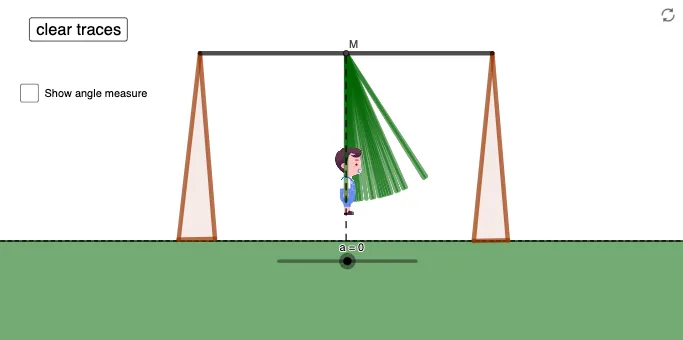
This example demonstrates the motion of a swing. It involves concepts of geometric transformations and functions. Using commands like Rotate, Segment, Circle, and Polygon in GeoGebra, the swing's motion can be constructed. Suitable for high school mathematics education and learning.
GeoGebra Commands & Parameters
Rotate(F, a°, A) → F'Segment(F', A) → gCircle(A, B) → cPoint(c) → ESemicircle(E, B) → dLine(A, B) → fAngle(F, A, F') → αRay(A, F') → jPoint(j) → DOrthogonalLine(D, j) → kPoint(k) → HSegment(D, H) → lPoint(k) → IOrthogonalLine(I, k) → nPolygon(B, C, G) → t1, g_1, b, c_1Polygon(E, J, K) → t2, k_1, e, j_1Segment(B, E) → hPoint(yAxis) → LOrthogonalLine(L, xAxis) → mOrthogonalLine(L, m) → pIntersect(m, g) → MSegment(L, M) → q
AI Drawing Prompt Reference
Draw a swing motion scene: start with a fixed pivot point, draw a circle centered at this point, and place a point on the circle as the swing's support. Connect the pivot and support with a segment as the swing rope. Rotate the support around the pivot by an angle to get the swung position, and draw the rotated rope. On the rotated rope, pick a point, draw a perpendicular line through it, and place another point on this perpendicular to form the seat. Connect these to make a triangular seat frameholster, and add a semicircle for the seat's curve. Finally, draw a horizontal reference line and a vertical reference line, pick a point on the vertical line, draw a perpendicular to the horizontal line, then a perpendicular to that perpendicular, intersect with the rope, and connect to form auxiliary structure.
The prompt above was compiled from the original drawing commands and is for reference only.