
Surface of Revolution Using Splines
Loading the math board and drawing, please wait…
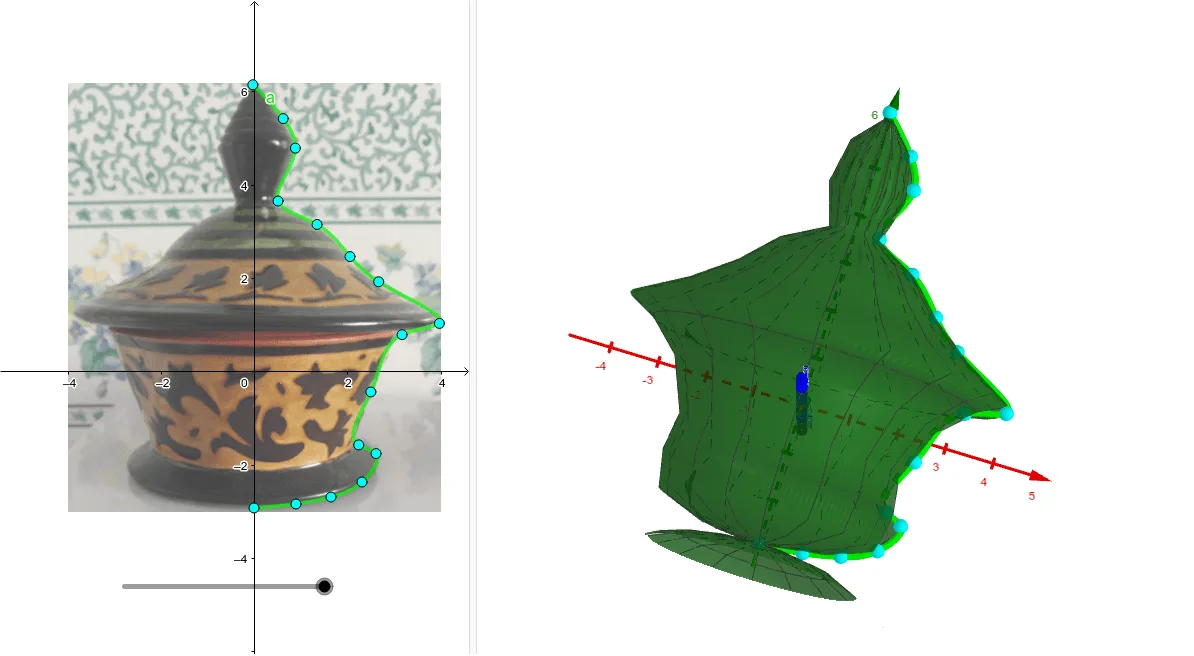
This example demonstrates how to generate a surface of revolution using spline curves. It involves core mathematical concepts such as rotational geometry, surface generation, and spline interpolation. Key GeoGebra commands used include Spline for creating spline curves and Surface for generating the rotating surface. It is suitable for high school students and mathematics enthusiasts learning about the construction of rotational surfaces.
GeoGebra Commands & Parameters
Spline({Q, R, C, D, E, F, G, H, I, J, K, L, M, N, O, P}, 3) → aSurface((x(a(t)) * cos(u)), y(a(t)), (x(a(t)) * sin(u)), t, 0, 5, u, 0, c) → b
AI Drawing Prompt Reference
Create a surface of revolution by rotating a spline curve around an axis. First, use the Spline command to create a spline curve through 15 points, then use the Surface command to generate the rotating surface.
The prompt above was compiled from the original drawing commands and is for reference only.