
Surface of Revolution: Line
Loading the math board and drawing, please wait…
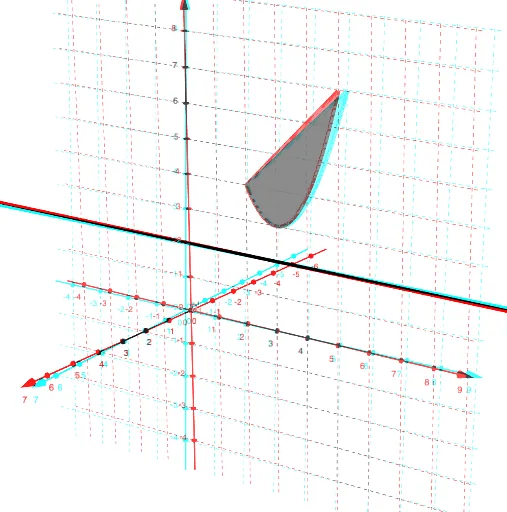
This example demonstrates how to generate a surface of revolution by rotating a line. Key mathematical concepts include line equations, rotation transformations, and solid geometry. Using GeoGebra commands Line, Rotate, and Surface, the construction of the surface of revolution is achieved. Suitable for high school mathematics education and students learning solid geometry.
GeoGebra Commands & Parameters
Line((0, 2, 0), (1, 2, 0)) → hRotate(f, n, h) → f_1Rotate(g, n, h) → g_1Surface(f, n, h) → aSurface(g, n, h) → bSurface(t, (u * f(t)) + ((1 - u) * g(t)), 0, t, 2, 5, u, 0, 1) → cRotate(c, n, h) → c'
AI Drawing Prompt Reference
Draw a surface of revolution generated by rotating a line around a horizontal axis. Start by plotting a horizontal line segment, then rotate it around the axis to create a surface. Next, rotate another parallel line segment in the same way to generate a second surface, and finally combine these two surfaces into a continuous solid of revolution to demonstrate the 3D geometric shape.
The prompt above was compiled from the original drawing commands and is for reference only.