
Surface Matching
Loading the math board and drawing, please wait…
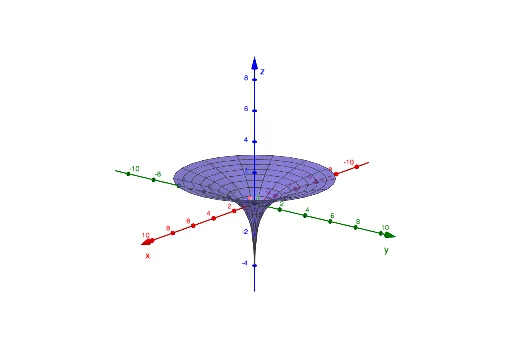
This example demonstrates how to match surfaces by adjusting parameters. Key mathematical concepts include parametric equations and surfaces. The Surface command is used to construct complex surface graphics. Suitable for high school and above students or teachers for teaching or researching surface matching problems.
GeoGebra Commands & Parameters
Surface((u * cos(v)), (u * sin(v)), u^(2), u, 0, 5, v, 0, (2 * π)) → bSurface((u * cos(v)), (u * sin(v)), v, u, 0, 5, v, 0, (2 * π)) → cSurface((sqrt(u) * cos(v)), sqrt(u), (sqrt(u) * sin(v)), u, 0, 10, v, 0, (2 * π)) → dSurface((u * v), u + v, v - u, u, -5, 5, v, 0, (2 * π)) → eSurface((u * sin(v)), (u * sin(v)), 1 - u, u, -10, 10, v, 0, (2 * π)) → f