
Surface Area of a Cube - Interactive Visualization
Loading the math board and drawing, please wait…
In collections
Area and Volume
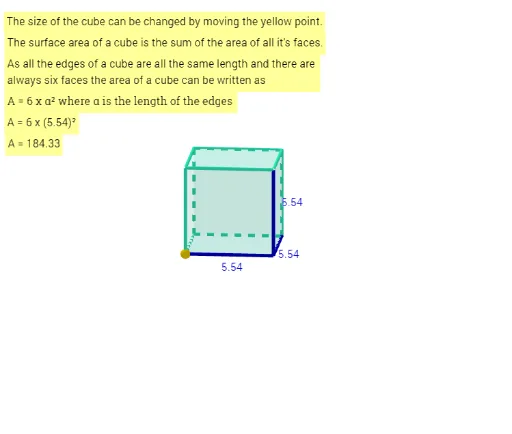
This GeoGebra example demonstrates the surface area of a cube in a 3D interactive environment. It visually shows how the total surface area is the sum of the areas of six congruent square faces. Core mathematical concepts include solid geometry, surface area calculation, and the relationship between edge length and total area. The construction uses Point commands to define vertices A, B, C, then the Cube command to generate the entire cube with its faces (faceABCD, faceADHE, etc.) and edges (edgeAD, edgeAB, etc.). Text objects (text1-text6) display measurements, and a slider k may allow dynamic adjustment of the edge length. This resource is suitable for middle or high school students learning about 3D geometry, and for teachers to illustrate surface area formulas in an engaging, hands-on way.
GeoGebra Commands & Parameters
Point(yAxis) → APoint(Circle[B, Distance[A, B], Segment[A, B]]) → CCube(A, B, C) → a, D, faceCDHG, faceEFGH, edgeAD, edgeAB, edgeBC, edgeCD, edgeAE, edgeDH, edgeEH, edgeEF, E, edgeBF, edgeFG, edgeCG, edgeGH, F, G, H, faceABCD, faceADHE, faceABFE, faceBCGF