
Super Rotations
Loading the math board and drawing, please wait…
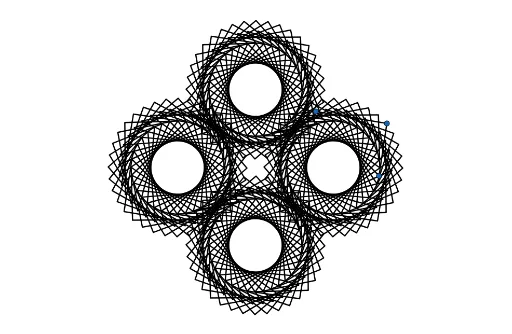
This example demonstrates the dynamic process of rotation transformations. Key concepts include rotation, mirroring, and transformation. Using GeoGebra commands such as Rotate, Mirror, and Polygon, it visually illustrates the principles of geometric transformations. Suitable for middle school and above students to learn about geometric transformations and dynamic geometry.
GeoGebra Commands & Parameters
Point(xAxis) → APoint(xAxis) → BPolygon(C, D, E) → t1, e, c, dIntersect(xAxis, yAxis) → FMirror(C, F) → C'Mirror(D, F) → D'Mirror(E, F) → E'Polygon(C', D', E') → t1', e', c', d'Zip(Polygon[Rotate[C, a°, A], Rotate[D, a°, A], Rotate[E, a°, A]], a, list1) → L_1Zip(Polygon[Rotate[C', a°, B], Rotate[D', a°, B], Rotate[E', a°, B]], a, list1) → L_2Rotate(L1, 90°, F) → L1'Rotate(L_1, 90°, F) → L_3Rotate(L_1, 270°, F) → L_4
AI Drawing Prompt Reference
Draw a coordinate system with points A and B on the x-axis. Construct triangle t1 with points C, D, and E. Mirror C, D, and E across point F (the intersection of the x-axis and y-axis) to get C', D', and E', and form triangle t1'. Use a slider a° to rotate C, D, E, C', D', and E' around points A and B, generating series of rotated shapes L1 and L2. Rotate L1 90° and 270° around point F to create L1', L3, and L4.
The prompt above was compiled from the original drawing commands and is for reference only.