
Rotating a Square: Interactive Vector and Transformation Demo
Loading the math board and drawing, please wait…
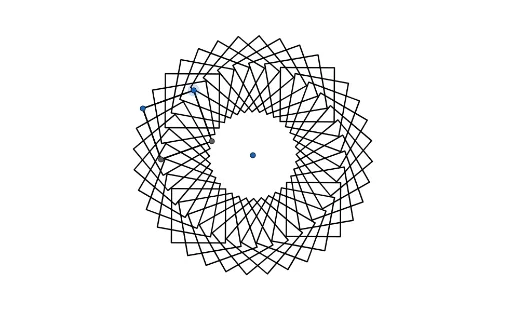
This GeoGebra example demonstrates the rotation of a square around a point, controlled by a slider, showing how a planar figure transforms under rotation. Core math concepts include 2D vectors, rotation transformations, polygon perimeter, and quadratic equations (possibly for vertex coordinates or side relations). Construction uses the Polygon command to create the original square poly1, the Zip command to generate vertex lists, and a slider w to control the rotation angle, producing the rotated square w_{2} while keeping the original for comparison. Suitable for middle or high school geometry classes and math labs, helping students grasp the geometric meaning of rotation, vector coordinate operations, and parametric construction in dynamic geometry.
GeoGebra Commands & Parameters
Polygon(A, B, 4) → poly1, f, g, h, i, C, DZip(Rotate[poly1, g°, E], g, w_{2}) → l1
AI Drawing Prompt Reference
Draw a square and rotate it around a fixed point, controlled by a slider. As the slider changes, the square rotates about that point while the original square remains for comparison. Show the rotated square with its vertices derived from the original ones, and optionally display the rotation path or edges. The composition should clearly illustrate the geometric transformation of rotation, suitable for educational demonstration.
The prompt above was compiled from the original drawing commands and is for reference only.