
Sum of Two Points on Complex Plane
Loading the math board and drawing, please wait…
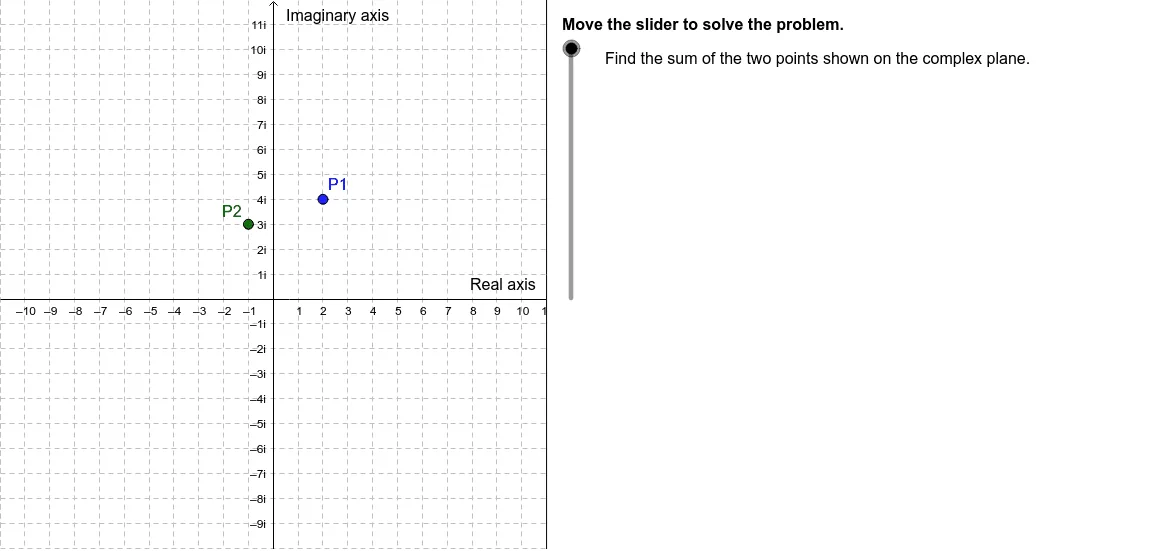
This example demonstrates how to calculate the sum of two points on a complex plane using geometric methods. It involves core math concepts like the geometric representation of complex numbers, vector addition, and complex plane coordinates. GeoGebra commands such as Corner, Polygon, Segment, and TableText are used to construct points and vectors on the complex plane, with dynamic visualization achieved through objects like MaskEdge and Directions3. It is suitable for high school students or beginners in complex number studies to understand the visual interpretation of complex number operations.
GeoGebra Commands & Parameters
Corner(3) → C3Corner(2) → C2Polygon(C2, C3, (MaskEdge, y(C3)), (MaskEdge, y(C2))) → Mask, c2, c3, d_1, eSegment((MaskEdge, y(C2)), (MaskEdge, y(C3))) → BorderTableText({{"(" + a + "+" + b + "i)+(" + c + "+" + d + "i)", "\text{Add to find the sum.}"}, {"=\fgcolor{red}{" + (a + c) + "+" + (b + d) + "i}", "\text{Combine like terms.}"}}, "l") → Conclusions2a
AI Drawing Prompt Reference
Draw two points on the complex plane and calculate their sum using geometric methods. First, draw points C2 and C3, then use them to form a quadrilateral. Next, draw the segment between C2 and C3. Finally, show the result of the sum (a+bi)+(c+di) and explain how to combine like terms.
The prompt above was compiled from the original drawing commands and is for reference only.