
Sum of Line Segments: Geometric Construction and Dynamic Visualization
Loading the math board and drawing, please wait…
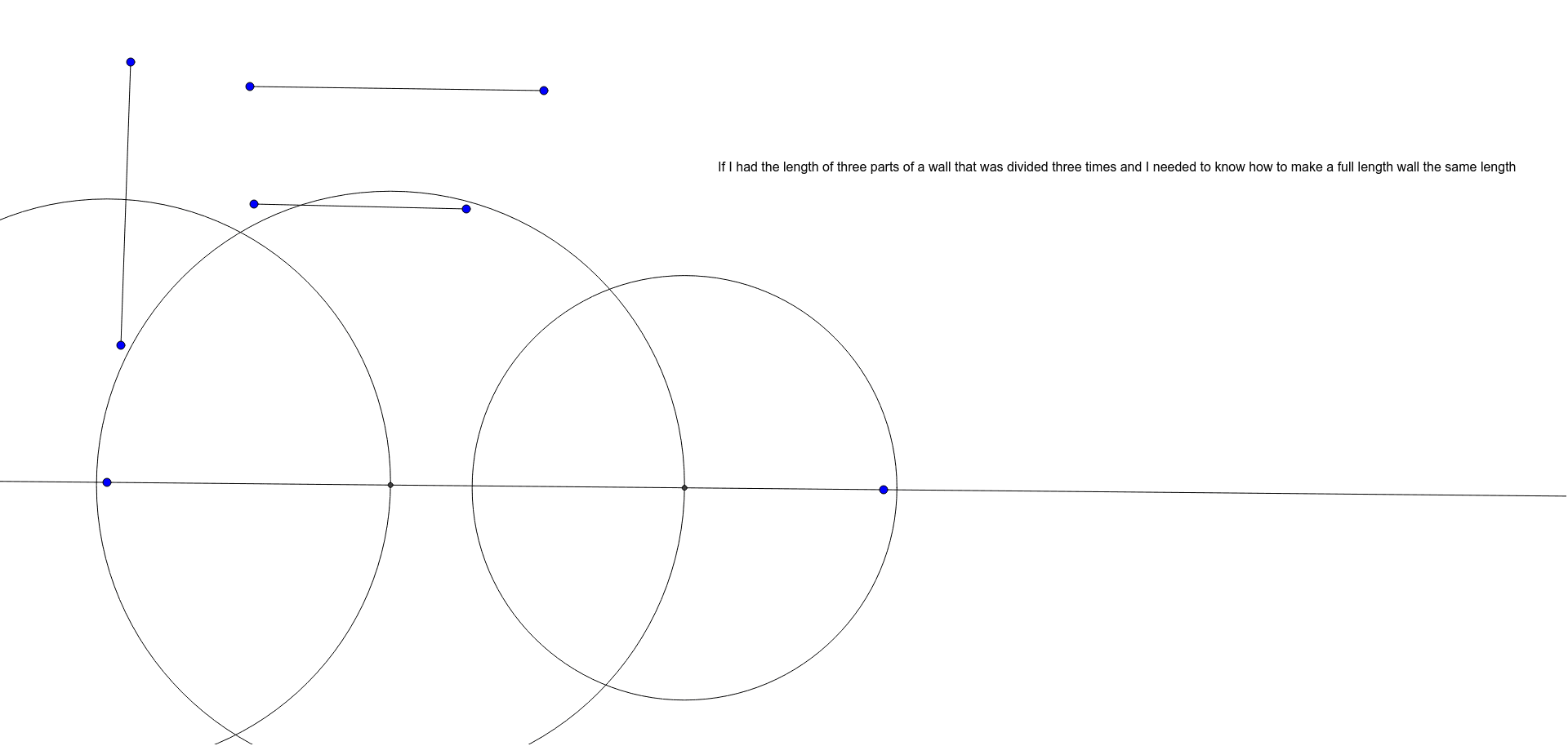
This GeoGebra example demonstrates the geometric meaning of the sum of lengths of multiple line segments through an interactive construction. It builds several segments that are connected or intersect within a coordinate system, using basic objects such as segments, lines, circles, and intersection points, and displays the total length in real time via a text object. The core mathematical concepts involve measuring segment lengths, addition of lengths, and visualizing length relationships in geometry. Key construction steps include using the Segment command to create base segments, Line to draw auxiliary lines, Circle to generate circles for determining intersections, Intersect to obtain key points, and finally a text object to output the cumulative sum. This example is suitable for middle school to high school students, helping them understand the additive property of segment lengths, and also serves as an introductory tutorial for using GeoGebra's basic drawing commands and dynamic text in geometric constructions.
GeoGebra Commands & Parameters
Segment(A, B) → fSegment(C, D) → gSegment(E, F) → hLine(G, H) → iCircle(G, Segment[E, F]) → cIntersect(c, i, 2) → ICircle(I, Segment[A, B]) → dIntersect(d, i, 2) → JCircle(J, Segment[D, C]) → e