
Rhombus Construction: Geometric Drawing with Circles and Lines
Loading the math board and drawing, please wait…
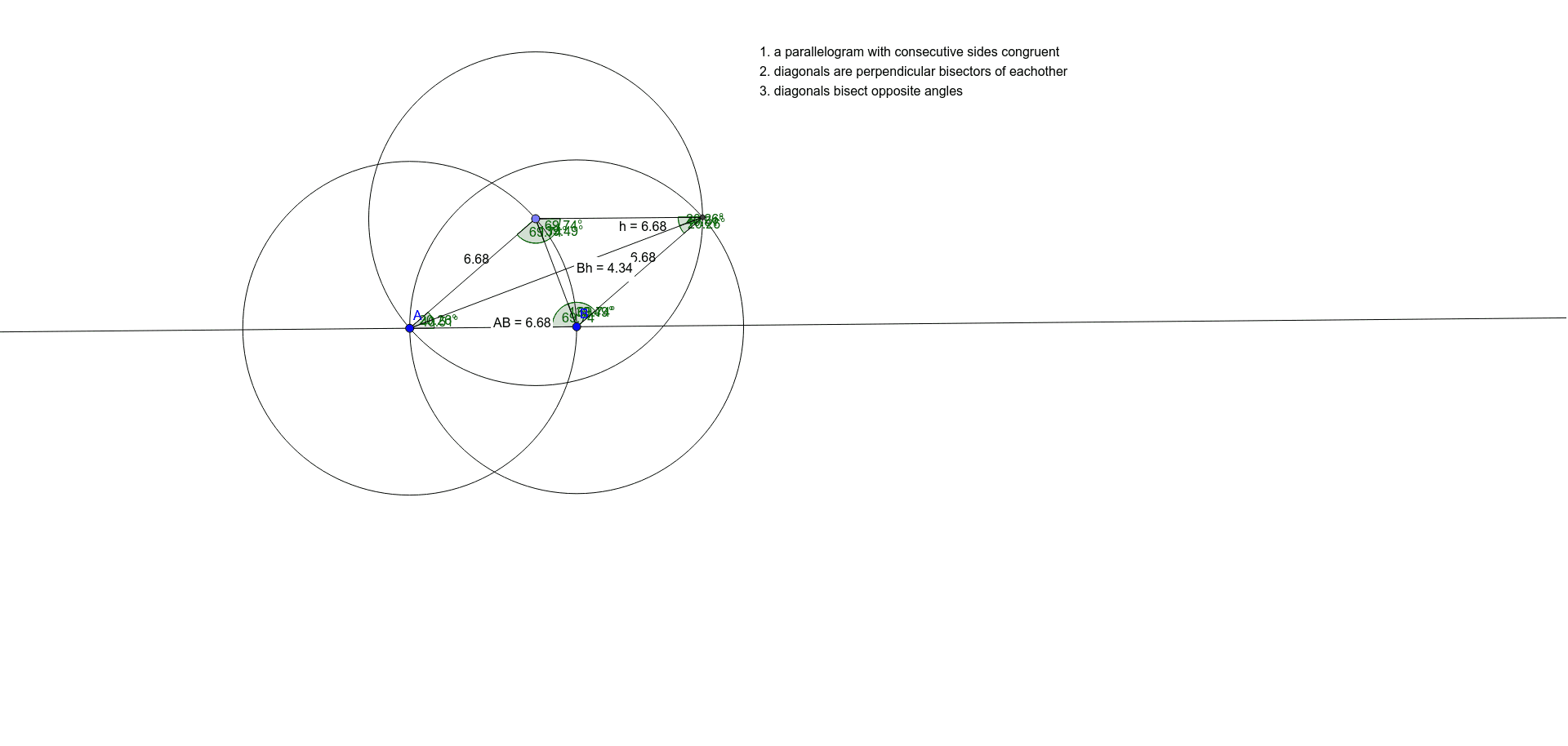
This example demonstrates how to construct a standard rhombus using circles, lines, and intersection points, while labeling its side lengths and angles. The core mathematical concepts include the definition of a rhombus (all sides equal), properties of diagonals, and the principles of compass-and-straightedge construction. The construction steps involve: first defining segment AB and circle c to locate point C, then using circle d and line e to determine point D, and finally connecting points to form the rhombus. GeoGebra commands used include Line, Circle, Point, Intersect, Segment, Distance, and Angle, along with text objects displaying side lengths and angle measures. This is suitable for middle school geometry teaching, helping students understand rhombus construction, geometric constraints, and dynamic verification of properties, and can serve as a digital demonstration of classical ruler-and-compass construction.
GeoGebra Commands & Parameters
Line(A, B) → fCircle(A, Segment[A, B]) → cCircle(B, Segment[A, B]) → dPoint(c) → CCircle(C, Segment[A, B]) → eIntersect(d, e, 2) → DSegment(C, A) → gSegment(C, D) → hSegment(D, B) → iDistance(B, h) → distanceBhDistance(A, B) → distanceABAngle(A, C, D) → αAngle(D, B, A) → βAngle(B, A, C) → γAngle(C, D, B) → δSegment(A, D) → jSegment(C, B) → kAngle(A, C, B) → εAngle(D, A, C) → ζAngle(B, C, D) → ηAngle(C, B, A) → θAngle(D, B, C) → ιAngle(C, D, A) → κAngle(A, D, B) → λ