
Kite Worksheet: Geometric Construction and Properties
Loading the math board and drawing, please wait…
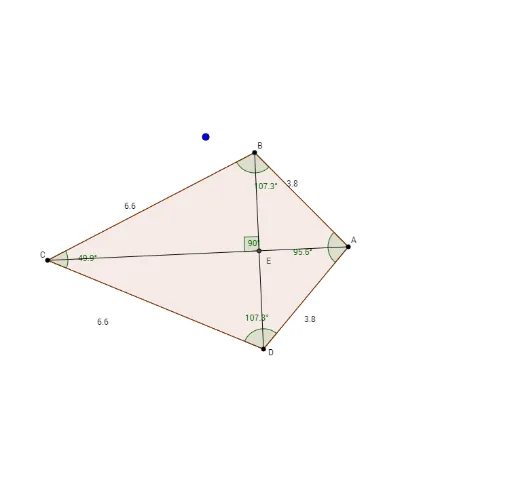
① This example demonstrates the dynamic construction of a kite quadrilateral, allowing users to explore its geometric properties interactively in GeoGebra. ② Core math concepts include the definition of a kite (two pairs of adjacent equal sides), perpendicular diagonals, symmetry, and relationships among circles, segments, polygons, angles, and distances. ③ Construction highlights: uses Circle command to create auxiliary circles, Intersect to find intersection points, Segment and Polygon to build sides and faces, Angle and Distance to measure angles and side lengths, with draggable points (A, B, C, D) to dynamically adjust the shape and verify invariant properties. ④ Suitable for middle school to high school students learning plane geometry, quadrilateral properties, and geometric construction; also useful for teachers in classroom demonstrations or student self-exploration to distinguish kites from squares, trapezoids, and other special quadrilaterals.
GeoGebra Commands & Parameters
Circle(A, B) → cCircle(C, B) → dIntersect(c, d, 2) → DSegment(A, D) → aSegment(C, D) → KiteMakerSegment(C, B) → eSegment(B, A) → fPolygon(B, A, D, C) → poly7, b, a_1, d_2, c_3Angle(C, B, A) → ε_1Angle(B, A, D) → ζ_1Angle(A, D, C) → η_1Angle(D, C, B) → θ_1Distance(e, KiteMaker) → g_2Segment(B, D) → gSegment(C, A) → hIntersect(g, h) → EAngle(B, E, C) → α