
Subtracting Fractions by Ibrahim El Hage
Loading the math board and drawing, please wait…
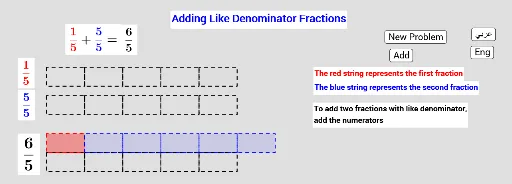
This example demonstrates the calculation and visualization of fraction subtraction. It involves core math concepts like fraction operations, common denominators, improper fractions, and mixed numbers. Construction highlights include using commands like Random, Vector, and Sequence, with objects such as b, a, j, d, c. Suitable for middle school mathematics teaching, this tool aids in demonstrating and practicing fraction subtraction.
GeoGebra Commands & Parameters
Random(2, 10) → bRandom(1, b) → aVector((0, 2)) → jRandom(1, b) → cSequence(Rectangle[20 / b, ((k * 20 / b) - 5, 6), ((k * 20 / b) - 5, 4)], k, 0, b - 1) → list1Sequence(Rectangle[20 / b, ((k * 20 / b) - 5, 6), ((k * 20 / b) - 5, 4)], k, 0, a - 1) → list2Sequence(Rectangle[20 / d, ((k * 20 / d) - 5, 3), ((k * 20 / d) - 5, 1)], k, 0, d - 1) → list5Sequence(Rectangle[20 / d, ((k * 20 / d) - 5, 3), ((k * 20 / d) - 5, 1)], k, 0, c - 1) → list3Sequence(Rectangle[20 / b, ((k * 20 / b) - 5, -3), ((k * 20 / b) - 5, -5)], k, 0, b - 1) → list4Sequence(Rectangle[20 / b, ((k * 20 / b) - 5 + (m * 20 / b), 1 - (2 * n)), ((k * 20 / b) - 5 + (m * 20 / b), 3 - (2 * n))], k, 0, c - 1) → list7Sequence(Rectangle[20 / b, ((k * 20 / b) - 5, 6 - p), ((k * 20 / b) - 5, 4 - p)], k, 0, a - 1) → list6
AI Drawing Prompt Reference
Create a visual for fraction subtraction. Arrange three horizontal rows of equal-width rectangles on a coordinate plane. The top row shows the minuend with some rectangles highlighted, the middle row shows the subtrahend with a different number highlighted, and the bottom row displays the difference. Use sliders to adjust the numerators and denominators. Ensure all rectangles are aligned vertically and have consistent width for easy comparison.
The prompt above was compiled from the original drawing commands and is for reference only.