
Style Bar Usage Guide
Loading the math board and drawing, please wait…
In collections
学习 GeoGebra 经典应用
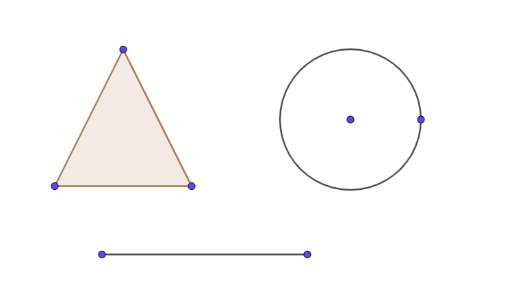
This example demonstrates the basic functions and operations of the Style Bar in GeoGebra, covering geometric constructions, object creation, and attribute settings. Key commands used include Polygon, Circle, and Segment to construct objects like A, B, C, t1, c, a, b, D, E, d, F, G, f. Suitable for middle school students and educators for learning and teaching demonstrations.
GeoGebra Commands & Parameters
Polygon(A, B, C) → t1, c, a, bCircle(D, E) → dSegment(F, G) → f
AI Drawing Prompt Reference
Draw a figure consisting of a triangle and a circle. The triangle ABC is formed by points A, B, and C. A circle defined by points D and E, and a line segment F and G connecting points on the circle, are also included. The construction order is to draw the triangle first, then the circle, and finally the line segment. The figure should clearly show the relationships between these elements, suitable for teaching demonstrations.
The prompt above was compiled from the original drawing commands and is for reference only.