
Step 4: Rotation Tessellation
Loading the math board and drawing, please wait…
In collections
Rotation Tessellation
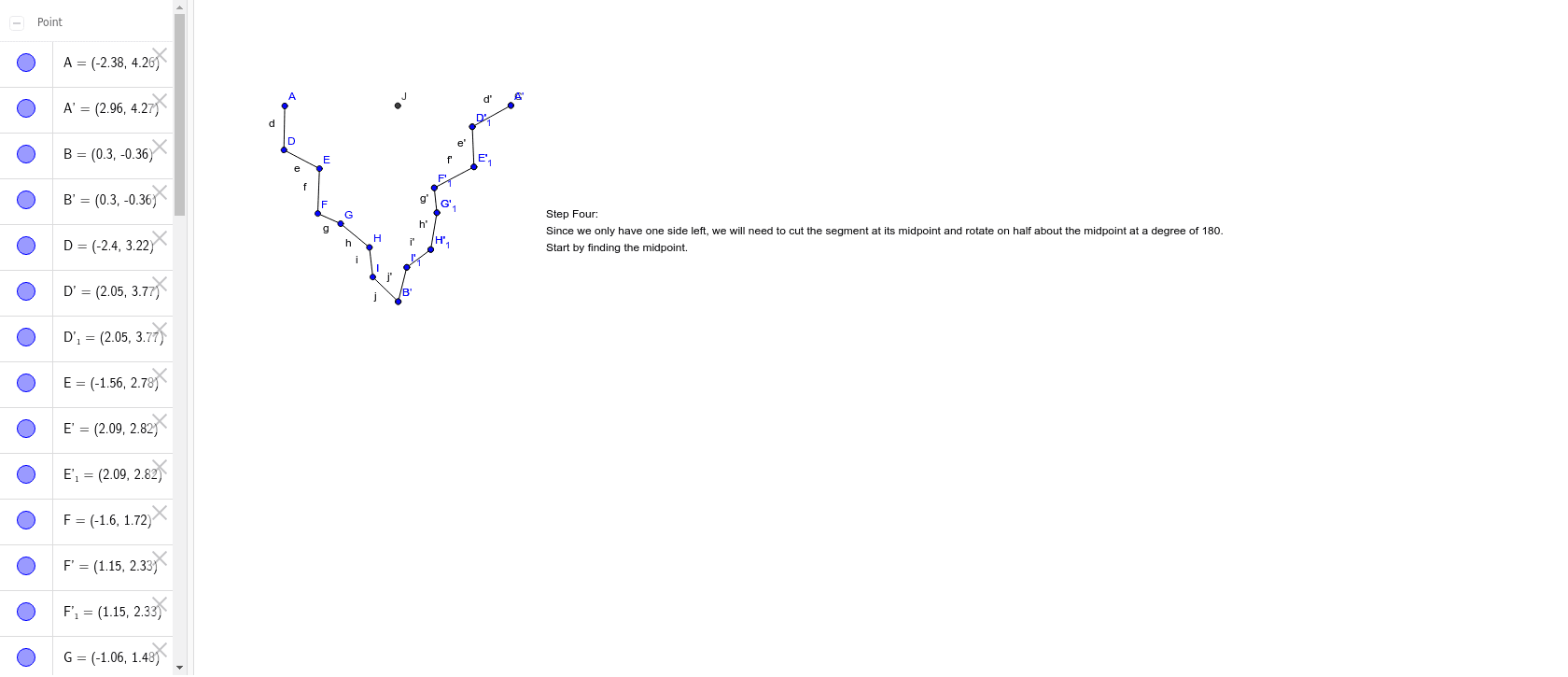
This example demonstrates the construction of a rotation tessellation pattern through rotation. Key math concepts include rotation, polygon construction, isosceles triangles, and probability & variance. GeoGebra commands used are Polygon, Segment, Rotate, and Midpoint. Suitable for high school mathematics teaching to understand transformations and fractal geometry.
GeoGebra Commands & Parameters
Polygon(A, B, 3) → poly1, a, b, c, CSegment(A, D) → dSegment(D, E) → eSegment(E, F) → fSegment(F, G) → gSegment(G, H) → hSegment(H, I) → iSegment(I, B) → jRotate(A, 300*°, B) → A'Rotate(D, 300*°, B) → D'Segment(A', D') → d'Rotate(D, 300*°, B) → D'_1Rotate(E, 300*°, B) → E'Segment(D'_1, E') → e'Rotate(E, 300*°, B) → E'_1Rotate(F, 300*°, B) → F'Segment(E'_1, F') → f'Rotate(F, 300*°, B) → F'_1Rotate(G, 300*°, B) → G'Segment(F'_1, G') → g'Rotate(G, 300*°, B) → G'_1Rotate(H, 300*°, B) → H'Segment(G'_1, H') → h'Rotate(H, 300*°, B) → H'_1Rotate(I, 300*°, B) → I'Segment(H'_1, I') → i'Rotate(I, 300*°, B) → I'_1Rotate(B, 300*°, B) → B'Segment(I'_1, B') → j'Midpoint(A, C) → J
AI Drawing Prompt Reference
Draw a rotation tessellation pattern by starting with a triangle, connecting its vertices to form a hexagon, then rotating the triangle 300 degrees around one vertex and connecting the rotated vertices to the original ones, repeating this process multiple times to create a symmetric pattern, and finally marking the midpoint of the triangle.
The prompt above was compiled from the original drawing commands and is for reference only.