
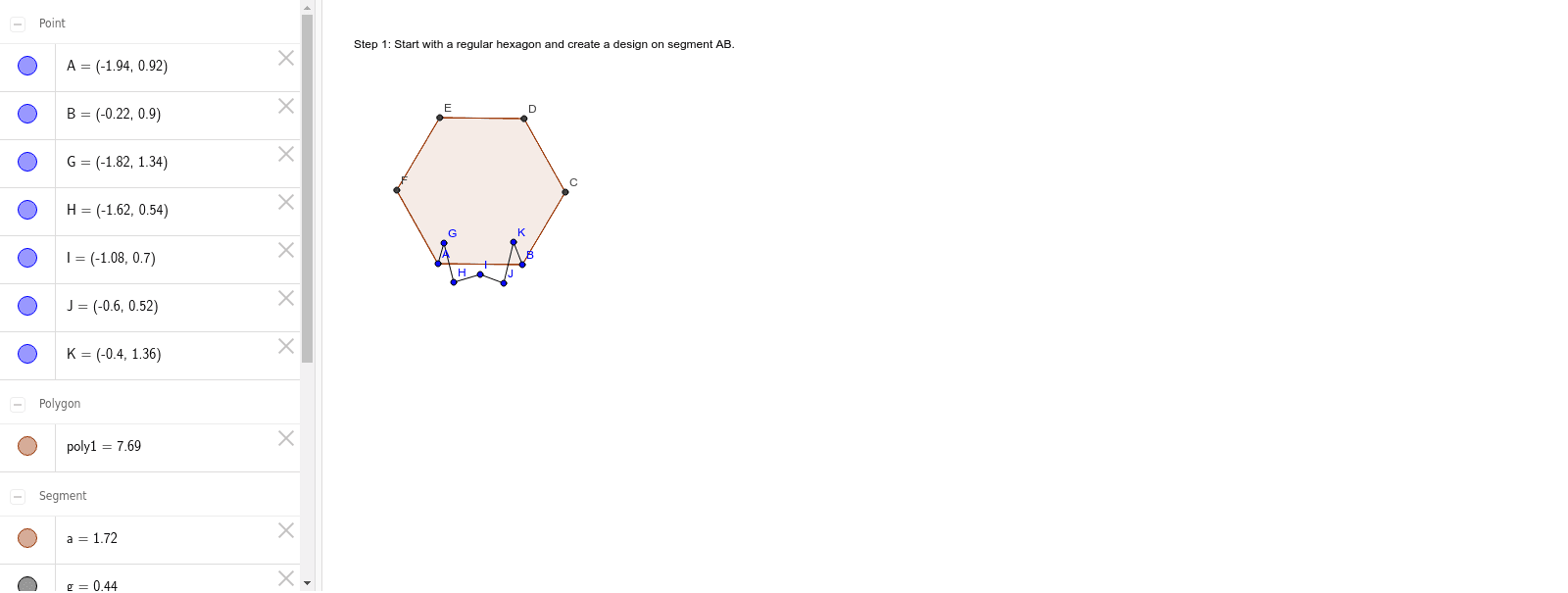
Step 1: Tessellation of Plane Figures
Loading the math board and drawing, please wait…
In collections
Hexagon- Translation Tessellation (Monster)
This example demonstrates the dynamic construction and tiling of plane figures through polygon assembly, involving core math concepts like polygon construction, stochastic processes, variance, and the Pythagorean theorem. It utilizes commands like Polygon and Segment from GeoGebra as per the construction summary. Suitable for high school mathematics teaching, illustrating geometric constructions and the connection between random processes and plane shapes.
GeoGebra Commands & Parameters
Polygon(A, B, 6) → poly1, a, F, b, c, d, e, f, C, D, ESegment(A, G) → gSegment(G, H) → hSegment(H, I) → iSegment(I, J) → jSegment(J, K) → kSegment(K, B) → l
AI Drawing Prompt Reference
Draw a hexagon using points A and B as two vertices. Construct a polygon to create a plane figure. Then, draw segments connecting points A and G, G and H, H and I, I and J, J and K, and K and B to form the sides of the hexagon.
The prompt above was compiled from the original drawing commands and is for reference only.