
Square Point Symmetry: Exploring Geometric Symmetry and Coordinate Transformatio
Loading the math board and drawing, please wait…
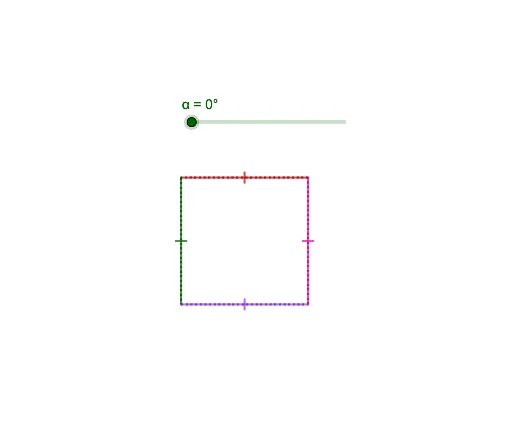
This example demonstrates the geometric transformation of a square under point symmetry. Key mathematical concepts include symmetry, coordinate transformations, and vector operations. Construction involves GeoGebra commands such as Segment Rotate, Centroid or Barycenter, and Vectors. Suitable for middle or high school mathematics education to understand geometric symmetry and coordinate system applications.
GeoGebra Commands & Parameters
Segment(D, A) → fSegment(A, B) → gSegment(B, C) → hSegment(C, D) → iRotate(C, α, E) → C'Rotate(D, α, E) → D'Segment(C', D') → i'Rotate(D, α, E) → D'_1Rotate(A, α, E) → A'Segment(D'_1, A') → f'Rotate(A, α, E) → A'_1Rotate(B, α, E) → B'Segment(A'_1, B') → g'Rotate(B, α, E) → B'_1Rotate(C, α, E) → C'_1Segment(B'_1, C'_1) → h'
AI Drawing Prompt Reference
Draw a square and rotate it around point E to create a new square. First, connect points A and D, B and A, C and B, D and C to form the square. Then, rotate points C and D around point E to generate C' and D', and connect C' and D' to form a new side. Next, rotate points A and B around point E to generate A' and B', and connect A' and B' to form another new side. Finally, rotate points B and C around point E to generate B' and C', and connect B' and C' to form the last new side.
The prompt above was compiled from the original drawing commands and is for reference only.