
Angle between vectors 3D
Loading the math board and drawing, please wait…
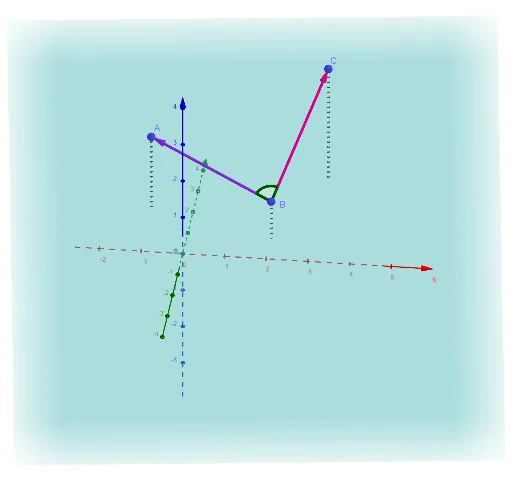
This example demonstrates the calculation and visualization of the angle between two vectors in 3D space. Key math concepts include vectors, magnitude of vectors, dot product formula, and the cosine theorem for angles. It uses GeoGebra commands/objects like Vector, Segment, Plane, and Angle. Suitable for high school students and above to learn vector operations in vector spaces and solid geometry, as well as for university basic mathematics teaching.
GeoGebra Commands & Parameters
Vector(B, C) → uVector(B, A) → vSegment(A, D_{A}) → fSegment(B, D_{B}) → gSegment(C, D_{c}) → hPlane(A, B, C) → pAngle(C, B, A) → α
AI Drawing Prompt Reference
Draw two vectors in 3D space and visualize the angle between them. Start by plotting the vectors as line segments, marking their starting and ending points. Then, create a plane using these three points as vertices and indicate the angle between the two vectors on this plane. Finally, connect the starting and ending points of the vectors with line segments, ensuring all elements are clearly visible.
The prompt above was compiled from the original drawing commands and is for reference only.