
Square Base Right Pyramid with 3 Triangles
Loading the math board and drawing, please wait…
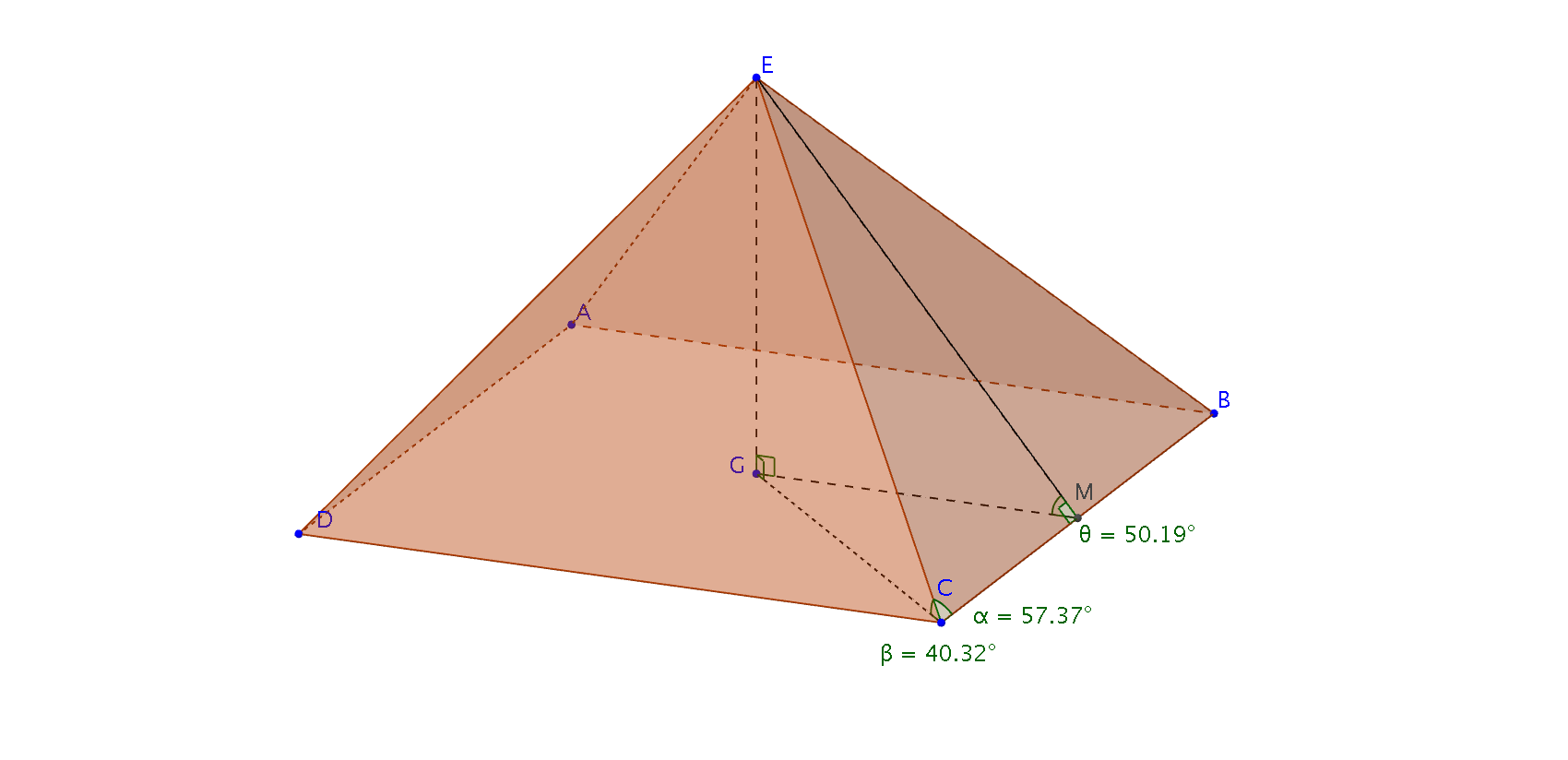
This example demonstrates the drawing and visualization of three triangles on a square base right pyramid. It involves core mathematical concepts such as angles, pyramids, squares, triangles, integral calculus, mathematics, upper and lower sums or Riemann sums, fractions, and variance. The construction uses GeoGebra commands like Polygon, Pyramid, Midpoint, Segment, and Angle. It is suitable for high school students and educators exploring solid geometry and integral concepts.
GeoGebra Commands & Parameters
Polygon(A, B, C, D) → poly1, a, b, c, dPyramid(poly1, E) → e, faceABE, faceBCE, faceCDE, faceADE, edgeAE, edgeBE, edgeCE, edgeDEMidpoint(C, B) → MSegment(E, G) → fSegment(G, M) → gSegment(E, M) → hSegment(C, G) → iAngle(E, C, G) → βAngle(E, M, G) → θAngle(E, C, M) → αAngle(M, G, E) → γAngle(C, G, E) → δAngle(E, M, C) → ε
AI Drawing Prompt Reference
Draw a square-based right pyramid and place three triangles on it. Connect the apex of the pyramid to the midpoints of each side of the square base, forming three line segments. Measure and label the angles between these segments, including the angles at the apex and between the segments themselves.
The prompt above was compiled from the original drawing commands and is for reference only.