
Square and Transformation
Loading the math board and drawing, please wait…
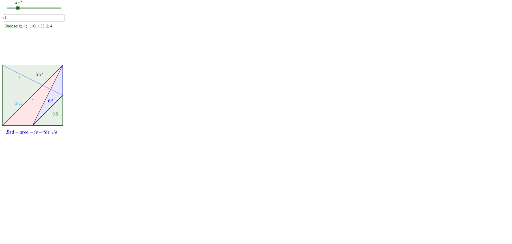
This example demonstrates the drawing of a square and its changes through transformations (like dilation). Core math concepts include polygon, transformation, statistics, and probability. Construction highlights involve GeoGebra commands/objects like Segment, Polygon, and Textfield. Suitable for high school mathematics teaching to understand geometric transformations and statistical distributions.
GeoGebra Commands & Parameters
Segment(A, B) → fSegment(B, C) → gSegment(C, D) → hSegment(D, A) → iSegment(C, A) → jPolygon(C, B, A) → poly2, a_2, c_2, b_1Polygon(D, C, A) → poly1, a_1, d_1, c_1Segment(G, D) → kSegment(F, C) → lSegment(E, A) → mSegment(G, C) → nSegment(F, B) → pSegment(E, G) → qSegment(E, D) → rSegment(G, B) → sPolygon(D, A, E) → poly3, e_1, d_2, a_3Polygon(D, E, G) → poly4, g_1, d_3, e_2Textfield(a) → InputBox1
AI Drawing Prompt Reference
Draw a square and demonstrate its transformation through dilation. Start by creating four line segments to form the square, then use these segments to construct two triangles. Add diagonals and connect vertices to the center with multiple line segments to form new geometric shapes. Include a text box for inputting parameters.
The prompt above was compiled from the original drawing commands and is for reference only.