
Square and Kite: Geometric Construction and Properties
Loading the math board and drawing, please wait…
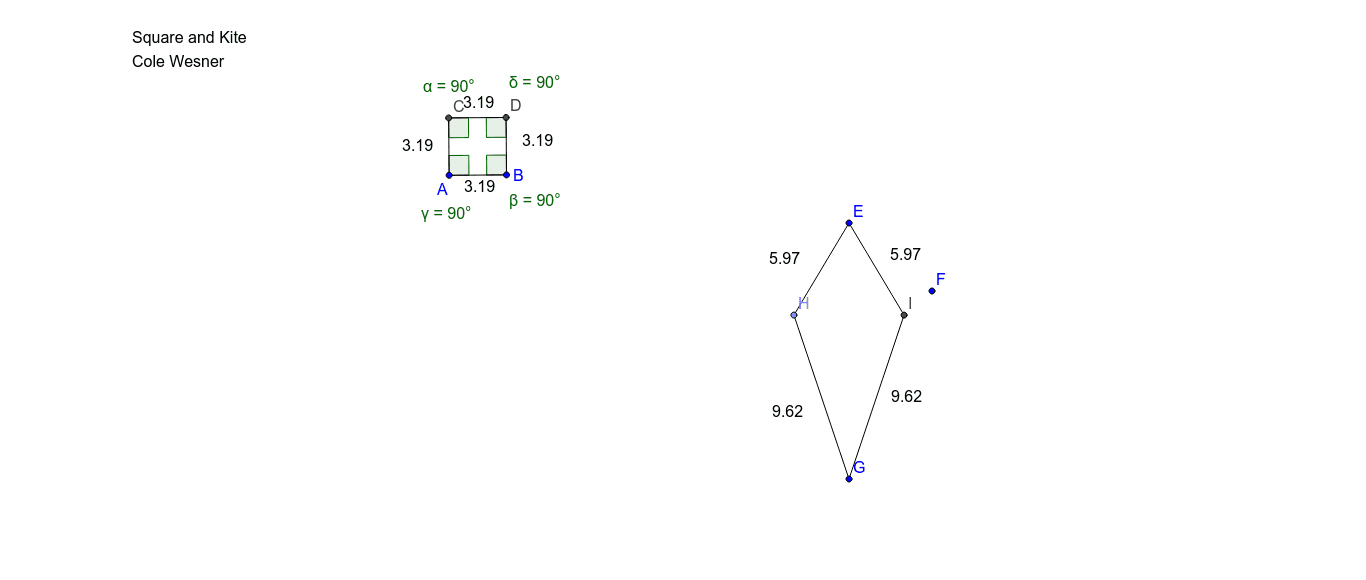
This example demonstrates how to construct a kite shape inside a square and explore its geometric properties. The core mathematical concepts include properties of squares, the definition of a kite (two pairs of adjacent equal sides), angle relationships, and fundamental geometric construction methods. Construction highlights: based on the construction summary, GeoGebra commands such as Circle, Segment, OrthogonalLine, Intersect, Line, Angle, and Point are used to create multiple points (A, B, C, D, E, F, G, H, I), segments (a, b, d, e, f, g, h, i, j, k, l, m), and angles (α, β, γ, δ), with text objects (text1) for labeling. This example is suitable for middle school or high school geometry teaching, helping students understand the construction of special quadrilaterals, angle calculations, and relationships between geometric figures, as well as exploring area or side-length relationships between the kite and the square.
GeoGebra Commands & Parameters
Circle(A, B) → cSegment(A, B) → aOrthogonalLine(A, a) → bOrthogonalLine(B, a) → dIntersect(c, b, 2) → CLine(C, a) → eIntersect(d, e) → DSegment(C, D) → fSegment(A, C) → gSegment(D, B) → hAngle(A, C, D) → αAngle(D, B, A) → βAngle(B, A, C) → γAngle(C, D, B) → δCircle(E, F) → kPoint(k) → HCircle(G, H) → pIntersect(k, p, 2) → ICircle(G, I) → qSegment(H, E) → iSegment(I, E) → jSegment(H, G) → lSegment(G, I) → m
AI Drawing Prompt Reference
Draw a square and a kite shape. The kite is inside the square, with two pairs of adjacent sides equal. The figure includes the four vertices of the square, line segments connecting them, and angles formed by these segments. The construction order is: first draw the square, then construct the kite's vertices using perpendicular lines and intersections, and finally label the angles and segments.
The prompt above was compiled from the original drawing commands and is for reference only.