
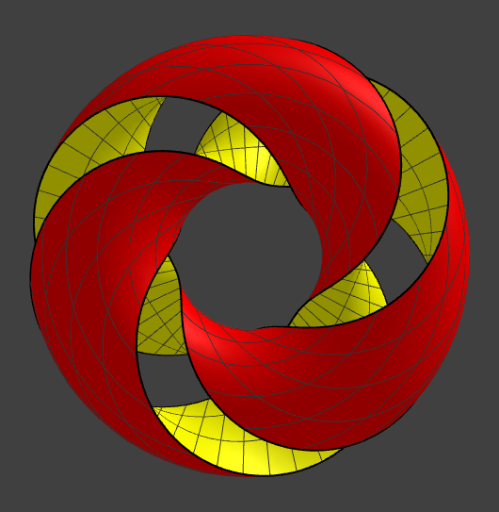
Split Torus
Loading the math board and drawing, please wait…
This example demonstrates the geometric construction and properties of a Split Torus, involving core math concepts like coordinate geometry, parametric equations, solid geometry, and inequalities. It utilizes GeoGebra commands such as Curve, Cartesian, Surface, butCreate, R1, R2, f, Tx, Ty, Tz, Sx, Sy, Sz, Curvp, Curvn, Torus, and Split for the construction. Suitable for high school students and geometry enthusiasts exploring complex surface transformations and constructions.
GeoGebra Commands & Parameters
CurveCartesian(Tx(f, v), Ty(f, v), Tz(f, v), v, (-3 * π), (3 * π)) → CurvpCurveCartesian(Tx((-f), v), Ty((-f), v), Tz((-f), v), v, (-3 * π), (3 * π)) → CurvnSurface(Tx(u, v), Ty(u, v), Tz(u, v), v, (-3 * π), (3 * π), u, (-f), f) → TorusSurface(Sx(u, v), Sy(u, v), Sz(u, v), v, (-3 * π), (3 * π), u, 0, 1) → Split
AI Drawing Prompt Reference
Draw a split torus by first creating two parametric curves, one for positive f and one for negative f, then use these curves as bases to generate two surfaces, and finally separate these surfaces with another surface.
The prompt above was compiled from the original drawing commands and is for reference only.