
Spheres 3D: Constructing and Exploring a Sphere in Space
Loading the math board and drawing, please wait…
In collections
Volume
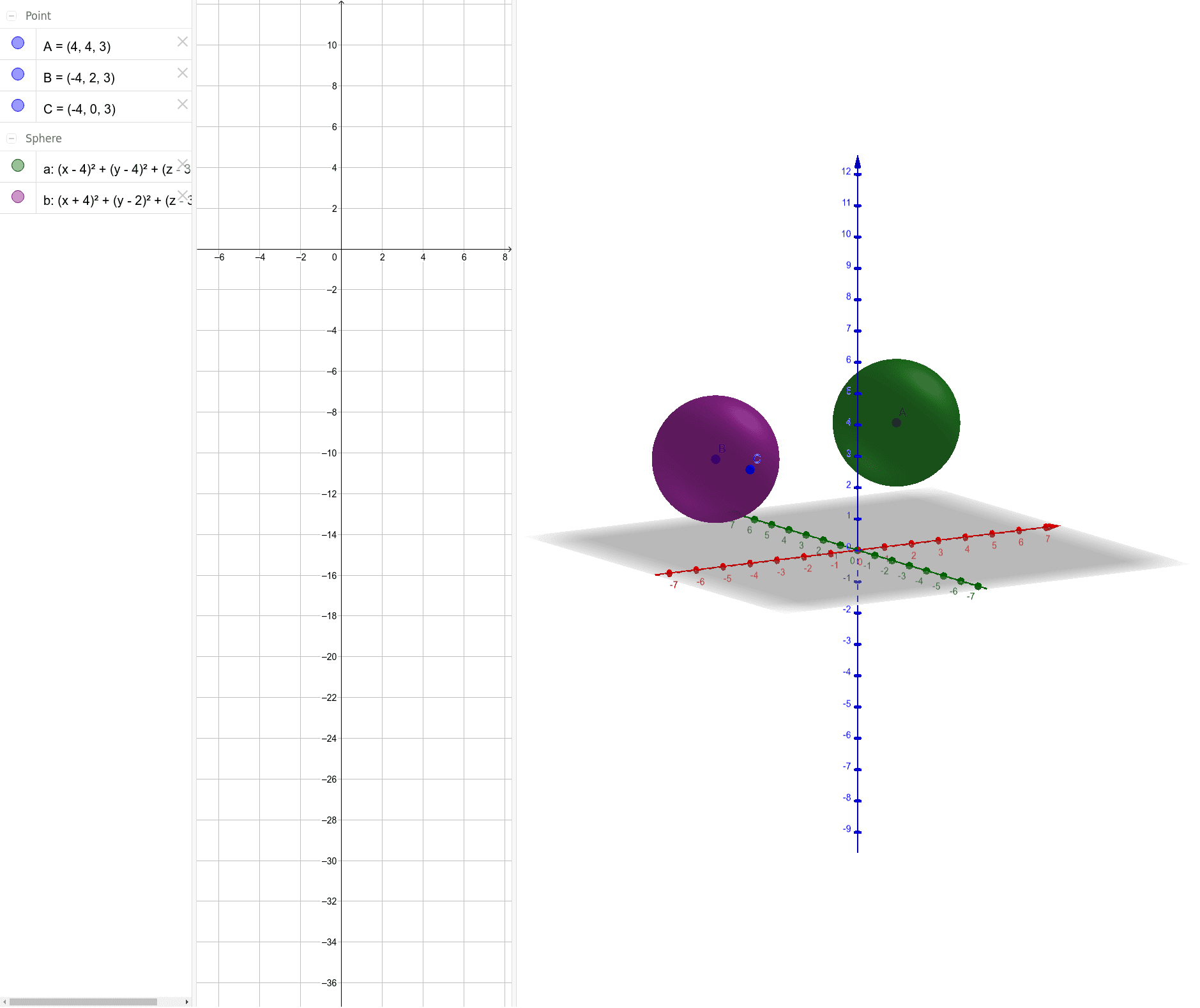
① This GeoGebra example demonstrates the construction of a 3D sphere and its associated geometric elements such as points, line segments, and circles in a three-dimensional view. ② Core mathematical concepts include solid geometry: the sphere's equation, center-radius relationship, and the spatial relationships among points, segments, circles, and the sphere surface; it also touches on derivative concepts in 3D (e.g., tangent planes or normal directions). ③ Construction highlights: from the summary, the Sphere command is used with objects A and a (likely defining center and radius or another point), and additional objects B, C, b are created to illustrate points on the sphere, cross-section circles, or connecting segments. ④ This is suitable for high school or early college students learning spatial geometry, serving as an interactive visual aid for understanding how spheres interact with points, lines, and planes in 3D space.
GeoGebra Commands & Parameters
Sphere(A, 2) → aSphere(B, C) → b
AI Drawing Prompt Reference
Draw a sphere with radius 2 and center at point A. Then select two points B and C on the sphere to construct another sphere b, showing the relationship between the sphere and points. First create sphere a, then select points B and C on sphere a, and finally construct sphere b using points B and C.
The prompt above was compiled from the original drawing commands and is for reference only.