
Sphere through four points
Loading the math board and drawing, please wait…
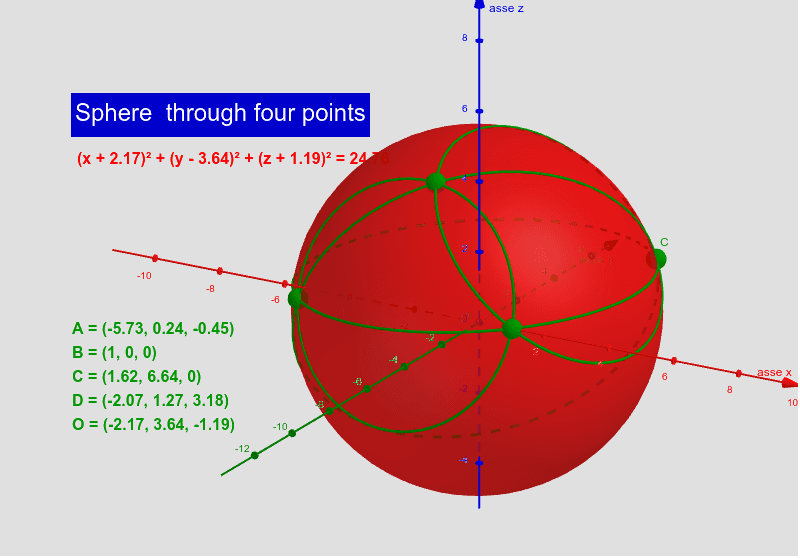
This example demonstrates how to uniquely determine a sphere given four non-coplanar points. Key math concepts include spatial vectors, point-plane relationships, and sphere equations. Construction involves commands like Segment, Midpoint, OrthogonalPlane, IntersectPath, Intersect, Sphere, and Circle to establish midpoints, planes, intersections, and the final sphere. Suitable for high school students and geometry enthusiasts exploring spatial geometry properties and calculations.
GeoGebra Commands & Parameters
Segment(A, C) → sACMidpoint(A, C) → mACOrthogonalPlane(mAC, sAC) → pACSegment(A, B) → sABMidpoint(A, B) → mABOrthogonalPlane(mAB, sAB) → pABMidpoint(A, D) → mADSegment(A, D) → sADOrthogonalPlane(mAD, sAD) → pADIntersectPath(pAB, pAC) → asseIntersect(pAD, asse) → OSphere(O, A) → aCircle(A, B, C) → cABCCircle(B, C, D) → cBCDCircle(A, B, D) → cABDCircle(A, C, D) → cACD
AI Drawing Prompt Reference
Draw a sphere that passes through four non-coplanar points. The construction involves: first, drawing line segments between each pair of points. Then, finding the midpoints of these segments. Next, constructing planes perpendicular to these segments using these midpoints. Then, finding the intersection of these planes to get a line. Finally, using the intersection point as the sphere's center and the distance from the center to one of the points as the radius to draw the sphere. This process shows how four points uniquely determine a sphere.
The prompt above was compiled from the original drawing commands and is for reference only.