
Billiard within a Sphere
Loading the math board and drawing, please wait…
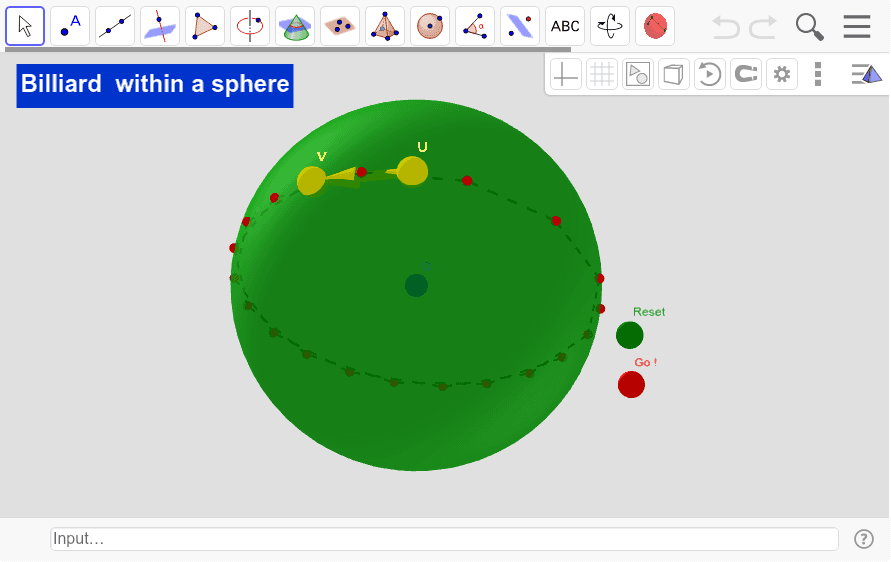
This example demonstrates the planar nature of billiard ball orbits within a sphere, involving core mathematical concepts like spheres, quadratic equations, LCM and GCD, step functions, rhombuses, and tangent functions. It is constructed using commands such as Sphere, PointIn, Line, Vector, Mirror, Intersect, Plane, and Sequence. Suitable for high school and above, it illustrates the connection between spatial geometry and function graphs.
GeoGebra Commands & Parameters
Sphere(O, R) → aPointIn(a) → VPointIn(a) → ULine(O, V) → bVector(U, V) → uLine(U, V) → cLine(O, V) → dMirror(c, d) → c'Intersect(c', a, 1) → APlane(O, U, V) → eSequence(Segment[Element[lista1, k], Element[lista1, k + 1]], k, 2, Length[lista1] - 1) → list1
AI Drawing Prompt Reference
Draw a billiard ball orbit within a sphere to demonstrate its planar nature. Start by creating a sphere, then select two points on its surface. Connect the center of the sphere to one point and draw a line between the two points. Use a vector tool to create a vector from one point to the other, and reflect the previous line using this vector to get a mirrored line. Mark the intersection points between the sphere and the mirrored line, then define a plane using these three points. Finally, connect all the points in sequence to form closed segments, creating a trajectory that illustrates the connection between spatial geometry and function graphs.
The prompt above was compiled from the original drawing commands and is for reference only.