
Sphere Sliceform
Loading the math board and drawing, please wait…
In collections
Sliceforms
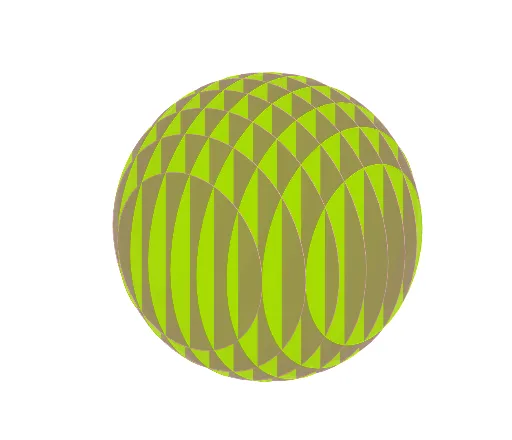
This example demonstrates the creation of a spherical sliceform through a series of planar sections. It involves core mathematical concepts such as sphere, logic, stochastic process, rhombus, Poisson distribution, and secant line. The construction utilizes the GeoGebra command 'Sequence' to generate a sequence of objects (L1, l1, l2) representing the cross-sections and related geometric elements of the sphere. Suitable for high school and above, it illustrates the intersection of 3D geometry and probability & statistics.
GeoGebra Commands & Parameters
Sequence(Circle[(w, 0, 0), sqrt(25 - w^(2)), xAxis], w, -4, 4) → l1Sequence(Circle[(0, w, 0), sqrt(25 - w^(2)), yAxis], w, -4, 4) → l2
AI Drawing Prompt Reference
Create a 3D sliceform of a sphere centered at the origin with radius 5. Generate a series of circular cross-sections perpendicular to the x-axis, positioned at equally spaced intervals from -4 to 4 along the x-axis, with each circle's radius determined by the sphere equation. Similarly, generate another series of circular cross-sections perpendicular to the y-axis, spaced from -4 to 4 along the y-axis, with radii varying accordingly. These circles intersect to form a lattice-like structure representing the sphere's interior slices, showcasing the symmetry and geometric elegance of the sphere.
The prompt above was compiled from the original drawing commands and is for reference only.