
Sphere by P Porras
Loading the math board and drawing, please wait…
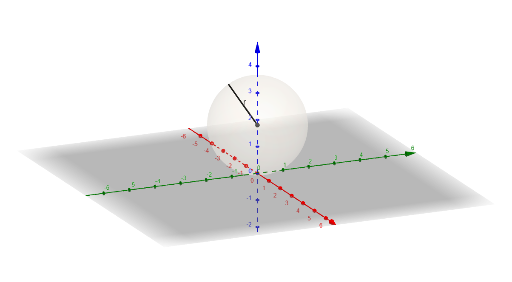
This example demonstrates the construction of a sphere. Key mathematical concepts include the definition and properties of a sphere in solid geometry. Commands used include Point, Sphere, IntersectPath, etc. Suitable for high school and above students learning solid geometry.
GeoGebra Commands & Parameters
Point(zAxis) → COrthogonalPlane(C, zAxis) → bSphere(A, r) → aIntersectPath(b, a) → dPoint(d) → ESegment(A, E) → fSegment(D, C) → hCircle(A, r, space) → cSegment(C, E) → r_1Point(zAxis) → BOrthogonalPlane(B, zAxis) → iIntersectPath(i, a) → kPoint(k) → FSegment(B, F) → r_2Segment(C, B) → jSurface(((r * cos(u)) * cos(v)), ((r * cos(u)) * sin(v)), z(A) + (r * sin(u)), u, a_1, a_2, v, 0, (2 * pi)) → lSurface(((r * cos(u)) * cos(v)), ((r * cos(u)) * sin(v)), z(A) + (r * sin(u)), u, a_2, pi - a_2, v, 0, (2 * pi)) → mSegment(G, G1) → n
AI Drawing Prompt Reference
Draw a sphere in 3D space with a given radius centered at the origin. Place two points on the vertical axis (z-axis), and through each point construct a plane perpendicular to the axis, intersecting the sphere to form two circles. On each circle, select a point, then draw line segments from the sphere's center to these points, and also connect these points to their corresponding axis points. Additionally, render the sphere's surface using parametric equations for the upper and lower parts, and add a segment connecting the two circle points to illustrate the solid geometry.
The prompt above was compiled from the original drawing commands and is for reference only.