
Special Pair of Lines in the Coordinate Plane
Loading the math board and drawing, please wait…
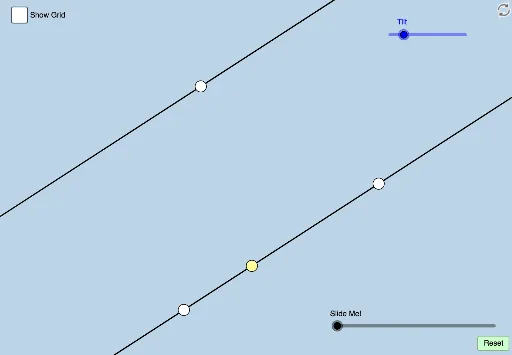
This interactive GeoGebra activity dynamically explores the relationship between two special lines in the coordinate plane, such as a median line and another constructed line. It emphasizes core concepts in coordinate geometry including line equations, slopes, parallelism, perpendicularity, and geometric transformations like rotation, translation, and dilation. The construction uses commands such as Rotate, Angle, Ray, Line, Point, Circle, Intersect, Segment, Min, Polygon, Dilate, Vector, Translate, and CircleSector, creating a rich set of objects including points, lines, circles, polygons, and transformed copies. Suitable for high school or early college students, it supports student-centered discovery of line properties, transformation effects, and continuity, and can be used for classroom demonstrations or independent exploration.
GeoGebra Commands & Parameters
Rotate(B, (a * π / 180), A) → B'Angle(B, A, B') → αRay(A, B') → gLine(A, B') → hPoint(h) → CRay(B', C) → iPoint(i) → DLine(E, h) → jCircle(D, b) → cIntersect(c, k, 2) → FIntersect(h, l) → GSegment(G, F) → mSegment(F, D) → nMin(m, n) → dCircle(F, (0.3 * d)) → eIntersect(e, k, 2) → HIntersect(e, m, 1) → IPolygon(D, F, G) → poly1, g_1, d_1, f_1Dilate(G, If[0 < o ≤ 1, 1 - o, 0], F) → G'Segment(G, G') → rDilate(F, If[1 < o ≤ 2, 2 - o, 0], D) → F'Segment(F, F') → sDilate(D, If[3 < o ≤ 4, 4 - o, 0], E) → D'Vector(D, D') → uTranslate(D, u) → D'_1Translate(F, u) → F'_1Translate(G, u) → G'_1Polygon(D'_1, F'_1, G'_1) → poly1', g'_1, d'_1, f'_1Translate(G, u) → G'_2Translate(G', u) → G''Segment(G'_2, G'') → r'Translate(F, u) → F'_2Translate(F', u) → F''Segment(F'_2, F'') → s'Segment(D'_1, G'_1) → h_1Angle(G, F, D) → βAngle(G'_1, F'_1, D'_1) → γPoint(h) → JCircle(J, 4) → pIntersect(p, h, 2) → KRotate(K, (q * π / 180), J) → K'Angle(K, J, K') → δLine(J, K') → tIntersect(j, t) → LDilate(J, If[-3 < o ≤ -2, -2 - o, 0], L) → J'Segment(J, J') → i_1Line(J, L) → j_1Circle(J, (0.3 * Distance[j, h])) → c_1Intersect(c_1, h, 2) → MRotate(M, If[-2 < o ≤ -1, ((o + 2) * δ), δ], J) → M'CircleSector(J, M, M') → e_1Dilate(J, If[-1 < o ≤ 0, (-o), 0], L) → J'_1Vector(J, J'_1) → vTranslate(e_1, v) → k_1
AI Drawing Prompt Reference
Draw a coordinate plane with a ray from a point, rotating another point on it to form a line. Place a point on this line, then draw a ray from the rotated point through it, and another point on that ray. Construct a line through this point parallel to the original line, and a circle centered at the point intersecting another line. Connect intersection points to form a triangle, and add segments and angles. Use sliders to dilate and translate the triangle vertices, creating multiple similar triangles. On the original line, pick another point, draw a circle, rotate a point on it to form a new line intersecting the parallel line, then add segments and circles to show transformations and measurements.
The prompt above was compiled from the original drawing commands and is for reference only.